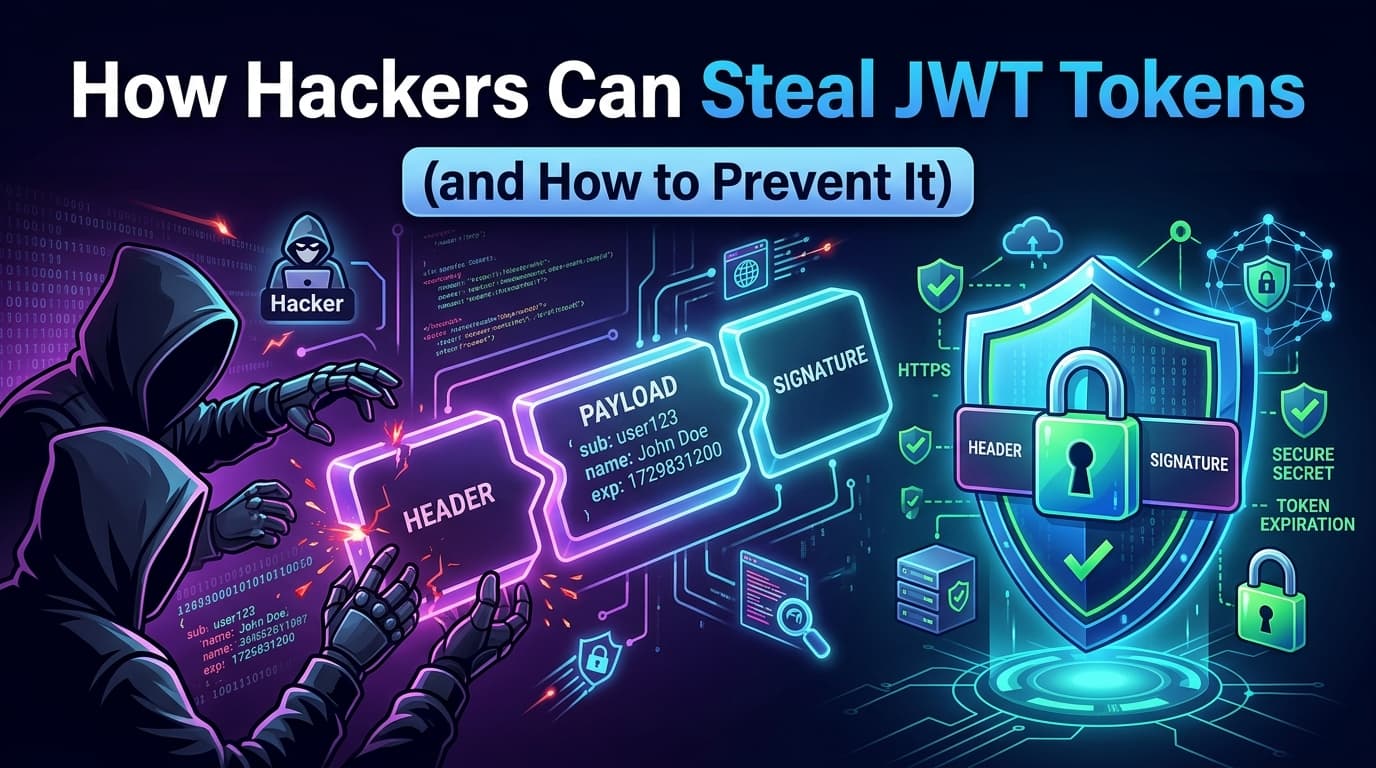
A JSON Web Token (JWT) is a compact, self-contained credential. When a user logs in, the server signs a token containing claims — user ID, roles, expiration — and sends it back to the client. From that point forward, the client presents this token on every request instead of resending a username and password.
Three base64url-encoded segments: header, payload, signature. The payload is not encrypted — it's just encoded. Anyone who gets their hands on this token can read its claims and, more critically, use it to authenticate as that user until it expires.
That's what makes JWT theft so attractive. It's not about cracking passwords. It's about grabbing a pre-authenticated credential and walking right through the front door.
The Battlefield: Where Tokens Live
Share this article:
Before understanding how tokens are stolen, you need to understand where they're stored. This is where the first — and often most consequential — architectural decision happens.
localStorage
The Web Storage API lets JavaScript store data persistently in the browser:
// Storing a token in localStorage
localStorage.setItem('access_token', jwt);

// Retrieving it on each request
const token = localStorage.getItem('access_token');
fetch('/api/data', {
  headers: { Authorization: `Bearer ${token}` }
});
localStorage is simple, universally supported, and survives browser restarts. It's also accessible to any JavaScript running on the page — including scripts you didn't write.
sessionStorage
Functionally identical to localStorage for security purposes. The only difference is it clears when the tab closes. Same attack surface.
Cookies
Browsers automatically attach cookies to every request to the matching domain. The critical distinction is in cookie flags:
The token is exfiltrated silently. The user sees nothing. The attacker now has a valid session.
A Realistic Attack Scenario
1. E-commerce site allows HTML in product reviews
2. Attacker submits review containing <script>...</script>
3. Victim browses to product page — script executes
4. Script reads localStorage['access_token']
5. Token is sent to attacker's server
6. Attacker uses token to place orders, access PII,
   change shipping address, or escalate privileges
The Key Insight
If you store a JWT in localStorage, a single XSS vulnerability anywhere on your site — including in a third-party script — is enough to fully compromise every logged-in user's session.
Modern web applications load dozens of third-party scripts. Each one is a potential attack surface. An attacker who compromises a popular analytics library can steal tokens from thousands of sites simultaneously.
Attack Vector #2: Token Interception and Leakage
XSS is the most direct attack, but tokens can leak through other channels:
Tokens in URLs
Some implementations pass JWTs as query parameters:
https://app.example.com/dashboard?token=eyJ...
This is catastrophic. Tokens in URLs appear in:
Browser history (accessible to other local users and malware)
Server access logs (often stored insecurely)
HTTP Referer headers sent to third parties when navigating away
Shared links (a user copying the URL also copies their token)
Never put tokens in URLs.
Insecure postMessage Communication
Single-page applications that use postMessage for cross-origin communication can leak tokens if the targetOrigin is set to *:
// DANGEROUS: broadcasts token to any listening frame
window.parent.postMessage({ token: jwt }, '*');

// CORRECT: restrict to a specific origin
window.parent.postMessage({ token: jwt }, 'https://app.example.com');
Log Injection
Applications that log request headers without sanitization may write tokens to log files. If those logs are indexed, replicated, or accessible to less-privileged systems, tokens leak far beyond their intended scope.
Attack Vector #3: Token Replay and Insufficient Expiration
A stolen token is only as valuable as its remaining lifetime. This brings us to a design failure that multiplies the impact of every other attack: long-lived access tokens without rotation.
The Problem
Some implementations issue a single long-lived JWT (24 hours, 7 days, or worse — no expiration) and call it done. An attacker who steals this token has days of valid authentication.
A token with exp set to year 2286 is, functionally, a permanent credential.
Refresh Token Architecture
The correct approach separates concerns between two token types:
┌─────────────────────────────────────────────────────┐
│  ACCESS TOKEN                                       │
│  • Short-lived: 5–15 minutes                        │
│  • Used on every API request                        │
│  • Stateless: server doesn't store it               │
│  • If stolen: expires quickly                       │
└─────────────────────────────────────────────────────┘

┌─────────────────────────────────────────────────────┐
│  REFRESH TOKEN                                      │
│  • Long-lived: days to weeks                        │
│  • Used ONLY to obtain new access tokens            │
│  • Stateful: server tracks it in a database         │
│  • Can be revoked server-side                       │
│  • Never sent to API endpoints                      │
└─────────────────────────────────────────────────────┘
The flow works like this:
Client                          Auth Server           API Server
  │                                  │                     │
  │──── POST /login ────────────────►│                     │
  │◄─── access_token (15min) ────────│                     │
  │     refresh_token (7 days)       │                     │
  │                                  │                     │
  │──── GET /data + access_token ───────────────────────►  │
  │◄─── 200 OK ──────────────────────────────────────────  │
  │                                  │                     │
  │  [15 minutes later]              │                     │
  │──── GET /data + access_token ───────────────────────►  │
  │◄─── 401 Unauthorized ────────────────────────────────  │
  │                                  │                     │
  │──── POST /token/refresh ────────►│                     │
  │     + refresh_token              │                     │
  │◄─── new access_token (15min) ────│                     │
  │     new refresh_token (rotated)  │                     │
Refresh token rotation is critical: each time a refresh token is used, it's invalidated and a new one is issued. If a stolen refresh token is used, the original is invalidated — which can be detected and trigger a forced logout of all sessions.
The Defense Architecture: httpOnly Cookies
Now that we've mapped the attacks, let's build the defense. The most robust client-side token storage strategy for web applications uses httpOnly cookies for the refresh token and in-memory storage for the access token.
Why httpOnly Cookies Are Different
The HttpOnly flag instructs the browser to never expose the cookie to JavaScript. It doesn't appear in document.cookie. localStorage.getItem can't read it. An XSS payload cannot exfiltrate it.
HTTP/1.1 200 OK
Set-Cookie: refresh_token=eyJ...; HttpOnly; Secure; SameSite=Strict; Path=/auth/token; Max-Age=604800
// In an XSS payload — this returns NOTHING for httpOnly cookies
document.cookie // → "" (refresh_token is not here)
The browser handles the cookie automatically — attaching it to requests to the matching path — without JavaScript ever touching it.
In-Memory Access Token Storage
The access token should live in JavaScript memory, not in localStorage:
This token disappears when the page reloads. That's intentional. On page load, the app silently calls the token refresh endpoint — the httpOnly refresh token cookie is sent automatically by the browser, and a new access token is returned.
An XSS attacker can steal the in-memory access token — but it expires in 15 minutes and can't be refreshed without the httpOnly cookie they can never read.
CSRF: The Cookie Counterattack
Using cookies introduces a different attack surface: Cross-Site Request Forgery (CSRF). Since browsers automatically send cookies on every request, an attacker can craft a page that causes the victim's browser to make authenticated requests to your server.
Prevents the cookie from being sent on any cross-origin request. Most effective, but can break OAuth flows where redirects come from third-party domains.
For APIs that need to support cross-origin flows, pair SameSite=Lax with a CSRF token in a custom header:
// On each mutating request, send a CSRF token in a header
fetch('/api/transfer', {
  method: 'POST',
  headers: {
    'X-CSRF-Token': csrfToken, // read from a non-httpOnly cookie or meta tag
    'Authorization': `Bearer ${getAccessToken()}`
  },
  credentials: 'include'
});
The server validates that the custom header is present — a cross-origin request can't set custom headers.
3. Restrict Sensitive Endpoints to JSON Body
CSRF attacks typically rely on form submissions or simple GET requests. Endpoints that only accept Content-Type: application/json and validate it are immune to naive CSRF, since HTML forms can't set that content type cross-origin.
Server-Side Defenses
Client-side storage is only part of the picture. The server must actively defend too.
Token Revocation
Pure stateless JWTs cannot be revoked before expiration. This is why refresh tokens must be stateful:
-- Refresh token table
CREATE TABLE refresh_tokens (
  id          UUID PRIMARY KEY DEFAULT gen_random_uuid(),
  user_id     UUID NOT NULL REFERENCES users(id),
  token_hash  TEXT NOT NULL UNIQUE,  -- store hash, not plaintext
  issued_at   TIMESTAMPTZ NOT NULL DEFAULT now(),
  expires_at  TIMESTAMPTZ NOT NULL,
  rotated_at  TIMESTAMPTZ,           -- null if still valid
  revoked_at  TIMESTAMPTZ,           -- null if not revoked
  user_agent  TEXT,
  ip_address  INET
);
On compromise detection — or explicit logout — set revoked_at. The next refresh attempt fails.
Refresh Token Reuse Detection
Implement automatic reuse detection to catch token theft:
const handleRefresh = async (incomingToken) => {
  const tokenRecord = await db.refreshTokens.findOne({
    token_hash: hash(incomingToken)
  });

  if (!tokenRecord) {
    // Token doesn't exist — possible forgery
    throw new UnauthorizedError('Invalid refresh token');
  }

  if (tokenRecord.rotated_at || tokenRecord.revoked_at) {
    // Token was already used — POSSIBLE THEFT DETECTED
    // Revoke ALL tokens for this user (force re-login everywhere)
    await db.refreshTokens.revokeAllForUser(tokenRecord.user_id);
    await alertSecurityTeam(tokenRecord);
    throw new UnauthorizedError('Token reuse detected — all sessions invalidated');
  }

  // Valid — rotate token
  await db.refreshTokens.rotate(tokenRecord.id);
  return issueNewTokenPair(tokenRecord.user_id);
};
If an attacker steals a refresh token and uses it, the legitimate user's next refresh attempt will hit a rotated token — triggering reuse detection and invalidating the attacker's session.
JWT Signature Validation
Never skip signature validation. Never use alg: none. Always specify the expected algorithm explicitly:
// DANGEROUS: trusts the 'alg' field in the token header
jwt.verify(token, secret);

// CORRECT: explicitly specify allowed algorithms
jwt.verify(token, secret, { algorithms: ['HS256'] });

// For RS256 (asymmetric)
jwt.verify(token, publicKey, { algorithms: ['RS256'] });
The alg: none attack involves crafting a token with no signature and setting the algorithm to none. Libraries that trust the token's own alg header will accept it as valid.
Security Checklist
Use this as a pre-deployment checklist for any JWT-based authentication system:
Token Storage
  ☐ Access tokens stored in memory only (not localStorage)
  ☐ Refresh tokens in httpOnly, Secure, SameSite cookies
  ☐ No tokens in URL query parameters
  ☐ No tokens logged in application logs

Token Lifetime
  ☐ Access tokens expire in 5–15 minutes
  ☐ Refresh tokens expire in days, not months or never
  ☐ exp claim is always validated server-side

CSRF Protection
  ☐ SameSite=Strict or SameSite=Lax on auth cookies
  ☐ CSRF token or custom header validation on mutations

XSS Mitigation
  ☐ Content Security Policy (CSP) header configured
  ☐ All user-generated content sanitized before rendering
  ☐ Third-party scripts audited and integrity-hashed (SRI)

Server-Side
  ☐ Algorithm explicitly enforced — alg:none rejected
  ☐ Refresh tokens stored as hashed values
  ☐ Token rotation implemented on every refresh
  ☐ Reuse detection with full session revocation
  ☐ Secure logout invalidates server-side refresh token
  ☐ Active sessions visible and revocable by user
The Threat Model in One Table
Attack
localStorage
In-Memory + httpOnly Cookie
XSS script steals token
✅ Succeeds completely
⚠️ Gets short-lived access token only
XSS refreshes stolen token
✅ Succeeds (refresh also in localStorage)
❌ Fails — refresh cookie inaccessible
CSRF forces refresh
N/A
❌ Blocked by SameSite + CSRF token
Token replay after logout
✅ Token still valid until expiry
❌ Server-side revocation
Phishing steals token via URL
✅ If token in URL
❌ Token never in URL
Reuse detection
❌ Stateless, no detection
✅ Triggers full session revocation
Conclusion
JWT theft is rarely sophisticated. Attackers don't need to break cryptography or reverse-engineer your signing key. They need one thing: your token, sitting in localStorage, waiting for a single XSS vulnerability to expose it.
The defense isn't complicated either — but it requires discipline:
Short-lived access tokens in memory
httpOnly cookies for refresh tokens
Server-side rotation and revocation
Aggressive XSS mitigation at every layer
Authentication is the lock on your front door. The choice between localStorage and httpOnly cookies isn't a minor implementation detail — it's the difference between a deadbolt and a combination lock with the combination written on a sticky note next to it.