Authentication vs Authorization: What's the Difference? | ZextOverse
Authentication vs Authorization: What's the Difference?
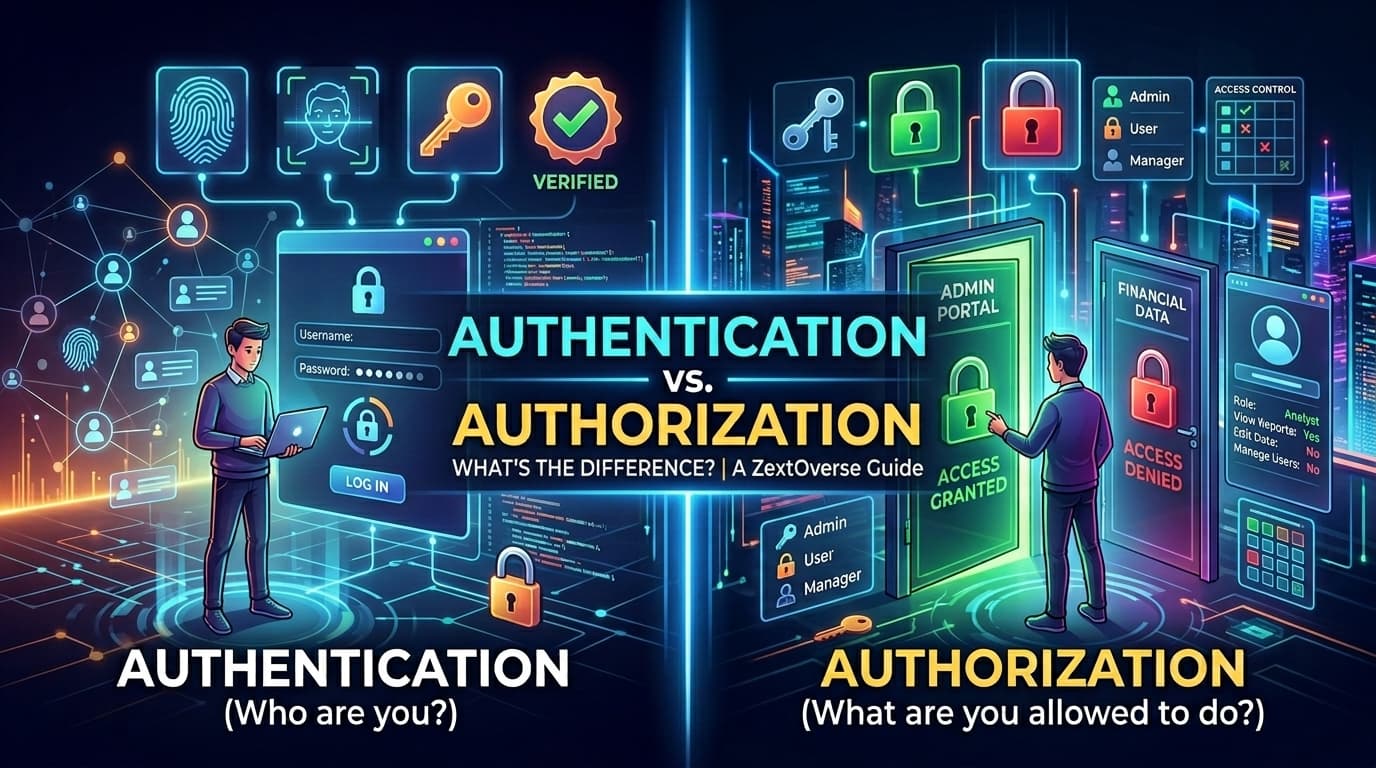
You walk up to a nightclub. The bouncer checks your ID. That's authentication. Once inside, your VIP wristband gets you into the back room. That's authorization. Most security bugs happen because developers confuse the two.
These two words get conflated constantly — in documentation, in code reviews, in job interviews. Let's fix that once and for all.
Concept
Question it answers
Analogy
Authentication (AuthN)
Who are you?
Passport at border control
Authorization (AuthZ)
What are you allowed to do?
Visa that lists permitted countries
Authentication always comes first. You cannot authorize someone whose identity you haven't established. But authentication alone is never enough — knowing who someone is says nothing about what they should be able to access.
A classic mistake: an application that checks "is the user logged in?" before showing a page, but never checks "does this logged-in user have permission to see this page?" The user is authenticated. They are not authorized. And that distinction is where data breaches are born.
Authentication: Proving Identity
Share this article:
Authentication is the process of verifying that someone is who they claim to be. There are three classical factors:
Something you know — password, PIN, security question
Something you have — hardware token, authenticator app, SMS code
Something you are — fingerprint, face ID, retina scan
Modern authentication typically combines at least two of these (Multi-Factor Authentication / MFA), because any single factor can be compromised. A password can be leaked. A phone can be stolen. A fingerprint scan can be spoofed. Two factors together are exponentially harder to defeat simultaneously.
The Login Flow — Step by Step
Here's what actually happens when a user logs in to a typical web application:
1. User submits email + password
2. Server looks up user record by email
3. Server hashes the submitted password with the stored salt
4. Server compares resulting hash to the stored hash
5. If they match → identity is verified (authenticated)
6. Server issues a session token or JWT
7. Client stores token and sends it with every subsequent request
Notice that the password itself is never stored. Only a salted hash is stored. If the database leaks, attackers get hashes — not passwords. This is why bcrypt, argon2, and scrypt exist: they're slow by design, making brute-force attacks computationally expensive.
Common Authentication Mechanisms
Mechanism
How it works
Common use
Session cookies
Server stores session, browser sends cookie
Traditional web apps
JWT (JSON Web Token)
Stateless signed token sent in header
APIs, SPAs, microservices
OAuth 2.0
Delegated access via third-party (Google, GitHub)
"Login with..." flows
SAML
XML-based SSO for enterprise
Corporate SSO
Passkeys (WebAuthn)
Cryptographic key pairs, no password
Modern passwordless apps
Authorization: Controlling Access
Once identity is established, authorization determines what that identity is permitted to do. This is a separate system — and it should be treated as one in your codebase.
Authorization answers questions like:
Can this user read this document?
Can this user delete another user's account?
Can this API client write to the billing endpoint?
Can this employee approve purchase orders over $10,000?
Authorization logic lives in multiple places: the API layer, the database query layer, the UI (to hide buttons), and sometimes the infrastructure layer (network ACLs). The cardinal rule: never rely solely on the UI to enforce authorization. A user who can't see the "Delete" button can still send a DELETE /api/posts/123 request with curl.
The Three Models of Authorization
1. ACL — Access Control Lists
The simplest model. Each resource has a list of users (or groups) and what they're allowed to do.
ACLs work fine at small scale. They become unmaintainable as organizations grow — you end up with thousands of individual entries to manage.
2. RBAC — Role-Based Access Control
The most widely deployed model in enterprise software. Instead of assigning permissions directly to users, you assign permissions to roles, then assign roles to users.
User → Role → Permissions
This indirection is powerful: when an employee changes departments, you change their role. Their permissions update automatically. You don't touch 200 individual ACL entries.
3. ABAC — Attribute-Based Access Control
The most flexible (and complex) model. Access decisions are made based on attributes of the user, the resource, and the environment.
ALLOW if:
  user.department == resource.owning_department
  AND user.clearance_level >= resource.classification
  AND request.time BETWEEN 09:00 AND 18:00
  AND request.ip IN company_network
ABAC is used in high-security contexts (government, healthcare) where fine-grained, context-sensitive policies are required.
Deep Dive: Role-Based Access Control (RBAC)
RBAC deserves its own section because it's the model most developers will implement or configure in their careers.
Roles are named collections of permissions (admin, editor, viewer, billing_manager)
Permissions are atomic capabilities (post:create, user:delete, invoice:read)
Resources are the entities being protected (posts, users, invoices)
A Practical RBAC Example
Imagine a content management system (CMS) with three roles:
Permission
viewer
editor
admin
post:read
✅
✅
✅
post:create
❌
✅
✅
post:update
❌
✅
✅
post:delete
❌
❌
✅
user:invite
❌
❌
✅
user:delete
❌
❌
✅
settings:write
❌
❌
✅
Alice is an editor. She can create and update posts, but she cannot delete them or manage users. When she's promoted to admin, one role change gives her all admin permissions — no individual permission entries needed.
Role Hierarchies
Some RBAC implementations add role inheritance. An admin role might inherit all editor permissions, which in turn inherit all viewer permissions. This reduces duplication but can make permission reasoning harder — always document your hierarchy explicitly.
The Principle of Least Privilege
The foundational rule of authorization design: every user, process, and service should have the minimum permissions necessary to perform its function — and nothing more.
A user who only reads reports doesn't need write access. A microservice that processes payments doesn't need to query the HR database. A background job that sends emails doesn't need admin rights.
Violations of least privilege are responsible for a staggering proportion of security incidents. An employee clicks a phishing link. The malware runs with their credentials. If those credentials had write access to the entire database, the damage is catastrophic. If they had read-only access to one table, the blast radius shrinks dramatically.
Deep Dive: JWT and Scopes
JSON Web Tokens have become the de facto standard for stateless authentication and authorization in APIs, single-page applications, and microservices. Understanding them deeply — including their security implications — is essential.
Anatomy of a JWT
A JWT is a Base64URL-encoded string with three dot-separated parts:
The server that receives a JWT doesn't need to query a database to validate it. It:
Splits the token into header, payload, and signature
Recomputes the expected signature using the public key (for RS256) or shared secret (for HS256)
Compares to the received signature
Checks the exp claim hasn't passed
If all checks pass → the token is valid and the claims can be trusted
This stateless verification is why JWTs are so popular in microservices: any service that has the public key can verify a token independently, without calling a central auth service on every request.
Scopes: Fine-Grained Authorization Inside JWTs
Scopes are strings embedded in the JWT payload that declare what the token is authorized to do. They're how OAuth 2.0 encodes permissions into a token.
Both can live inside a JWT. They serve different purposes:
Roles
Scopes
Granularity
Coarse (a named group)
Fine (a specific capability)
Best for
User-facing apps with clear personas
APIs and OAuth delegated access
Example
"role": "editor"
"scopes": ["post:create"]
Flexibility
Lower
Higher
A common pattern: store the role in the JWT, then resolve scopes server-side based on role. This keeps tokens smaller and allows you to update role-to-scope mappings without reissuing tokens.
Critical JWT Security Rules
1. Validate the algorithm
The alg: "none" attack is real. An attacker crafts a token with "alg": "none" and no signature. Naive implementations accept it. Always explicitly require your expected algorithm:
JWTs cannot be revoked once issued (they're stateless). If a token is stolen, it's valid until it expires. Short-lived access tokens (15 minutes) combined with long-lived refresh tokens (7–30 days) are the standard pattern.
{
  "exp": 1716153722,   ← Access token: 15 minutes from now
  "refresh_token_exp": 1718745600   ← Refresh: 30 days
}
3. Never store JWTs in localStorage
localStorage is accessible to any JavaScript running on the page — including injected scripts from XSS attacks. Prefer httpOnly cookies, which are invisible to JavaScript but sent automatically by the browser.
4. Verify signature, not just decode
Decoding a JWT (splitting and base64-decoding) is not verification. Never trust decoded claims without first validating the signature.
Putting It All Together: A Complete Flow
Here's how authentication and authorization interact in a realistic API request:
The user logs in → authentication happens → a JWT is issued
The JWT carries the user's identity, role, and scopes
Every subsequent request carries the JWT
The API verifies the signature → authentication is re-confirmed (stateless)
The API checks required scopes → authorization is enforced
Access is granted or denied based on scopes, not identity alone
Common Mistakes and How to Avoid Them
❌ Checking authentication but not authorization
// This only checks "are they logged in?"
if (!req.user) return res.status(401).send('Unauthorized');

// Missing: does this user own this resource?
const post = await Post.findById(req.params.id);
return res.json(post); // ← Any logged-in user can read any post!
// ✅ Check both
if (!req.user) return res.status(401).send('Unauthorized');

const post = await Post.findById(req.params.id);

if (post.authorId !== req.user.id && !req.user.scopes.includes('post:admin')) {
  return res.status(403).send('Forbidden');
}

return res.json(post);
❌ Trusting client-supplied role data
// ❌ Never do this
const { role } = req.body; // User controls this!
if (role === 'admin') grantAdminAccess();
Always derive roles and permissions from the verified JWT or a server-side session — never from user-supplied request data.
❌ Returning 401 and 403 interchangeably
These status codes have distinct, meaningful semantics:
401 Unauthorized — identity not established; the user needs to log in
403 Forbidden — identity is established, but this identity lacks permission
Returning 403 for unauthenticated requests leaks information (it implies the resource exists). Returning 401 for authorization failures is confusing and breaks client logic. Use them correctly.
Summary
Authentication and authorization are complementary, sequential, and distinct. Getting either one wrong — or conflating the two in your architecture — creates vulnerabilities that are both common and catastrophic.
The mental model to internalize:
Authentication asks: can I trust that this request comes from who it claims to be?
Authorization asks: given who this is, should I fulfill this request?
Build them as separate concerns in your code. Enforce authorization at the API layer, not just the UI. Prefer RBAC for user-facing applications and OAuth scopes for API access. Keep JWTs short-lived, store them safely, and always validate signatures.
Security is rarely broken by attackers outsmarting cryptography. It's broken by developers who assumed authentication was enough — and never checked what the authenticated user was actually allowed to do.