Build a REST API with Node.js, Express and MongoDB (Production Ready)
Most tutorials show you how to make an API work. This one shows you how to make it work in production — where "it works on my machine" is not a deployment strategy.
 ZextOverse
Loading articles...
Most tutorials show you how to make an API work. This one shows you how to make it work in production — where "it works on my machine" is not a deployment strategy.
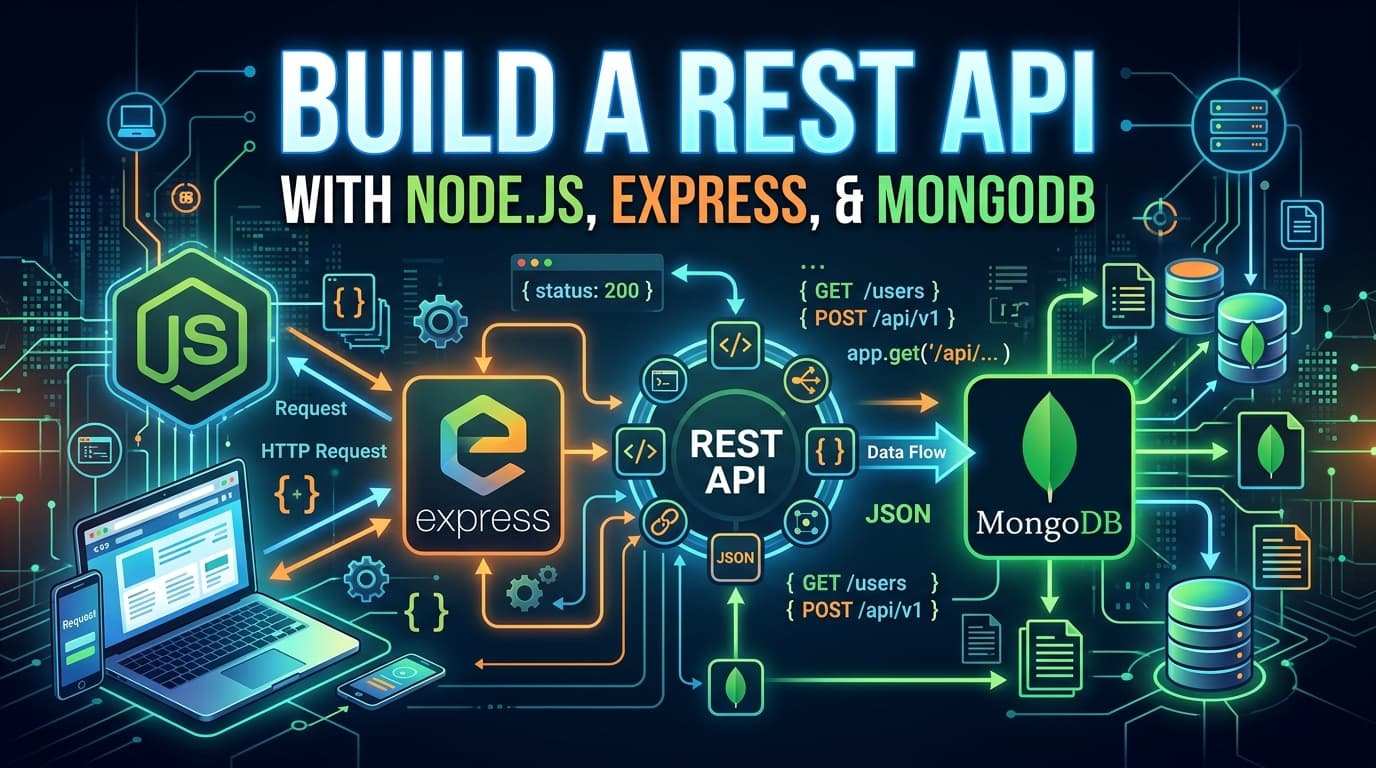
By the end of this guide, you'll have a fully functional, production-ready REST API with:
This isn't a "build a todo app" tutorial. We'll make decisions the way a senior engineer would — explaining why at every turn, not just how.
mkdir production-api && cd production-api
npm init -y
# Core
npm install express mongoose dotenv

# Auth
npm install jsonwebtoken bcryptjs

# Validation
npm install zod

# Security
npm install helmet cors express-rate-limit

# Logging
npm install pino pino-http pino-pretty

# Runtime
npm install --save-dev typescript tsx @types/node @types/express
npm install --save-dev @types/jsonwebtoken @types/bcryptjs @types/cors
A flat structure works fine for small projects. For a production API, you want separation of concerns from day one — not refactored in at day 90 when it hurts.
production-api/
├── src/
│   ├── config/
│   │   ├── database.ts
│   │   ├── env.ts
│   │   └── logger.ts
│   ├── middleware/
│   │   ├── auth.middleware.ts
│   │   ├── error.middleware.ts
│   │   ├── validate.middleware.ts
│   │   └── rateLimiter.middleware.ts
│   ├── modules/
│   │   ├── auth/
│   │   │   ├── auth.controller.ts
│   │   │   ├── auth.service.ts
│   │   │   ├── auth.routes.ts
│   │   │   └── auth.schema.ts
│   │   └── users/
│   │       ├── user.controller.ts
│   │       ├── user.service.ts
│   │       ├── user.routes.ts
│   │       ├── user.model.ts
│   │       └── user.schema.ts
│   ├── utils/
│   │   ├── ApiError.ts
│   │   └── ApiResponse.ts
│   └── app.ts
├── .env
├── .env.example
├── tsconfig.json
└── package.json
This is a module-based structure. Each domain (users, products, orders) lives in its own folder with its own controller, service, routes, and model. It scales without turning into a bowl of spaghetti.
Never hardcode secrets. Never commit .env. Always validate your environment at startup — not at runtime when a user hits an endpoint.
src/config/env.tsimport { z } from "zod";
const envSchema = z.object({
NODE_ENV: z.enum(["development", "production", "test"]).default("development"),
PORT: z.coerce.number().default(3000),
MONGODB_URI: z.string().min(1, "MONGODB_URI is required"),
JWT_SECRET: z.string().min(32, "JWT_SECRET must be at least 32 characters"),
JWT_REFRESH_SECRET: z.string().min(32, "JWT_REFRESH_SECRET must be at least 32 characters"),
JWT_ACCESS_EXPIRES_IN: z.string().default("15m"),
JWT_REFRESH_EXPIRES_IN: z.string().default("7d"),
BCRYPT_ROUNDS: z.coerce.number().default(12),
RATE_LIMIT_WINDOW_MS: z.coerce.number().default(15 * 60 * 1000),
RATE_LIMIT_MAX: z.coerce.number().default(100),
});
const parsed = envSchema.safeParse(process.env);
if (!parsed.success) {
console.error("❌ Invalid environment variables:");
console.error(parsed.error.flatten().fieldErrors);
process.exit(1); // Fail fast — don't start a broken server
}
export const env = parsed.data;
export type Env = typeof env;
If your environment is misconfigured, the process exits before accepting a single connection. This is the right behavior. A half-configured server is worse than no server.
.env.exampleNODE_ENV=development
PORT=3000
MONGODB_URI=mongodb+srv://username:password@cluster.mongodb.net/mydb
JWT_SECRET=your-super-secret-key-minimum-32-characters
JWT_REFRESH_SECRET=your-refresh-secret-key-minimum-32-characters
JWT_ACCESS_EXPIRES_IN=15m
JWT_REFRESH_EXPIRES_IN=7d
BCRYPT_ROUNDS=12
RATE_LIMIT_WINDOW_MS=900000
RATE_LIMIT_MAX=100
Commit .env.example. Never commit .env.
src/config/database.tsimport mongoose from "mongoose";
import { env } from "./env";
import { logger } from "./logger";
export async function connectDatabase(): Promise<void> {
try {
mongoose.set("strictQuery", true);
await mongoose.connect(env.MONGODB_URI, {
maxPoolSize: 10, // Connection pool — adjust based on load
serverSelectionTimeoutMS: 5000,
socketTimeoutMS: 45000,
});
logger.info("✅ MongoDB connected");
mongoose.connection.on("disconnected", () => {
logger.warn("MongoDB disconnected. Attempting reconnect...");
});
mongoose.connection.on("error", (err) => {
logger.error({ err }, "MongoDB connection error");
});
} catch (error) {
logger.error({ error }, "Failed to connect to MongoDB");
process.exit(1);
}
}
The maxPoolSize matters at scale. By default, Mongoose uses 5 connections. For a production API under load, 10–20 is a more realistic starting point — but always measure before tuning.
console.log is not a logging strategy. Pino gives you structured, JSON-formatted logs that can be ingested by Datadog, CloudWatch, or any log aggregation service.
src/config/logger.tsimport pino from "pino";
import { env } from "./env";
export const logger = pino({
level: env.NODE_ENV === "production" ? "info" : "debug",
transport:
env.NODE_ENV !== "production"
? { target: "pino-pretty", options: { colorize: true } }
: undefined, // In production, output raw JSON
redact: {
paths: ["*.password", "*.token", "*.secret", "req.headers.authorization"],
censor: "[REDACTED]",
},
});
The redact configuration is critical. Your logs should never contain passwords, tokens, or secrets — even in a development environment. Logging pipelines have their own security exposure.
Consistency in API responses builds trust with consumers. Define your shapes once and use them everywhere.
src/utils/ApiError.tsexport class ApiError extends Error {
public readonly statusCode: number;
public readonly isOperational: boolean;
constructor(
statusCode: number,
message: string,
isOperational = true
) {
super(message);
this.statusCode = statusCode;
this.isOperational = isOperational;
Error.captureStackTrace(this, this.constructor);
}
static badRequest(message: string) {
return new ApiError(400, message);
}
static unauthorized(message = "Unauthorized") {
return new ApiError(401, message);
}
static forbidden(message = "Forbidden") {
return new ApiError(403, message);
}
static notFound(message = "Resource not found") {
return new ApiError(404, message);
}
static conflict(message: string) {
return new ApiError(409, message);
}
static internal(message = "Internal server error") {
return new ApiError(500, message, false);
}
}
The isOperational flag distinguishes between errors you anticipated (wrong password, not found) and errors you didn't (null pointer, database crash). You handle them differently — operational errors are user-facing; non-operational errors mean something is genuinely broken and should alert your on-call team.
src/utils/ApiResponse.tsexport class ApiResponse<T> {
public readonly success: boolean;
public readonly data?: T;
public readonly message: string;
public readonly meta?: Record<string, unknown>;
constructor(data?: T, message = "Success", meta?: Record<string, unknown>) {
this.success = true;
this.data = data;
this.message = message;
this.meta = meta;
}
static ok<T>(data: T, message?: string, meta?: Record<string, unknown>) {
return new ApiResponse(data, message, meta);
}
static paginated<T>(
data: T[],
total: number,
page: number,
limit: number
) {
return new ApiResponse(data, "Success", {
total,
page,
limit,
totalPages: Math.ceil(total / limit),
hasNextPage: page * limit < total,
hasPrevPage: page > 1,
});
}
}
src/modules/users/user.model.tsimport mongoose, { Document, Model } from "mongoose";
import bcrypt from "bcryptjs";
import { env } from "../../config/env";
export interface IUser {
email: string;
password: string;
name: string;
role: "user" | "admin";
refreshToken?: string;
isActive: boolean;
createdAt: Date;
updatedAt: Date;
}
export interface IUserMethods {
comparePassword(candidatePassword: string): Promise<boolean>;
}
export type UserDocument = Document & IUser & IUserMethods;
const userSchema = new mongoose.Schema<UserDocument>(
{
email: {
type: String,
required: true,
unique: true,
lowercase: true,
trim: true,
index: true, // Explicit index — email is your primary lookup field
},
password: {
type: String,
required: true,
minlength: 8,
select: false, // Never return password by default
},
name: {
type: String,
required: true,
trim: true,
},
role: {
type: String,
enum: ["user", "admin"],
default: "user",
},
refreshToken: {
type: String,
select: false, // Never return refresh token by default
},
isActive: {
type: Boolean,
default: true,
},
},
{
timestamps: true,
versionKey: false,
}
);
// Hash password before saving
userSchema.pre("save", async function (next) {
if (!this.isModified("password")) return next();
this.password = await bcrypt.hash(this.password, env.BCRYPT_ROUNDS);
next();
});
// Instance method: compare passwords
userSchema.methods.comparePassword = async function (
candidatePassword: string
): Promise<boolean> {
return bcrypt.compare(candidatePassword, this.password);
};
// Never return sensitive fields in JSON
userSchema.set("toJSON", {
transform: (_, ret) => {
delete ret.password;
delete ret.refreshToken;
return ret;
},
});
export const User: Model<UserDocument> = mongoose.model("User", userSchema);
Two decisions worth noting: select: false on password and refreshToken means those fields are excluded from every query unless you explicitly request them with .select("+password"). The toJSON transform is a secondary safety net. Defense in depth.
src/middleware/validate.middleware.tsimport { Request, Response, NextFunction } from "express";
import { AnyZodObject, ZodError } from "zod";
import { ApiError } from "../utils/ApiError";
export const validate =
(schema: AnyZodObject) =>
async (req: Request, _res: Response, next: NextFunction) => {
try {
await schema.parseAsync({
body: req.body,
query: req.query,
params: req.params,
});
next();
} catch (error) {
if (error instanceof ZodError) {
const messages = error.errors.map((e) => ({
field: e.path.join("."),
message: e.message,
}));
next(ApiError.badRequest(JSON.stringify(messages)));
} else {
next(error);
}
}
};
src/modules/auth/auth.schema.tsimport { z } from "zod";
export const registerSchema = z.object({
body: z.object({
name: z.string().min(2).max(100),
email: z.string().email("Invalid email address"),
password: z
.string()
.min(8, "Password must be at least 8 characters")
.regex(/[A-Z]/, "Must contain at least one uppercase letter")
.regex(/[0-9]/, "Must contain at least one number"),
}),
});
export const loginSchema = z.object({
body: z.object({
email: z.string().email(),
password: z.string().min(1, "Password is required"),
}),
});
export const refreshSchema = z.object({
body: z.object({
refreshToken: z.string().min(1, "Refresh token is required"),
}),
});
export type RegisterInput = z.infer<typeof registerSchema>["body"];
export type LoginInput = z.infer<typeof loginSchema>["body"];
src/modules/auth/auth.service.tsimport jwt from "jsonwebtoken";
import { env } from "../../config/env";
import { User } from "../users/user.model";
import { ApiError } from "../../utils/ApiError";
import type { RegisterInput, LoginInput } from "./auth.schema";
function generateTokens(userId: string, role: string) {
const accessToken = jwt.sign(
{ sub: userId, role },
env.JWT_SECRET,
{ expiresIn: env.JWT_ACCESS_EXPIRES_IN }
);
const refreshToken = jwt.sign(
{ sub: userId },
env.JWT_REFRESH_SECRET,
{ expiresIn: env.JWT_REFRESH_EXPIRES_IN }
);
return { accessToken, refreshToken };
}
export async function register(input: RegisterInput) {
const existing = await User.findOne({ email: input.email });
if (existing) throw ApiError.conflict("Email already registered");
const user = await User.create(input);
const { accessToken, refreshToken } = generateTokens(
user._id.toString(),
user.role
);
// Store hashed refresh token — if your DB leaks, tokens are useless
user.refreshToken = refreshToken;
await user.save();
return { user, accessToken, refreshToken };
}
export async function login(input: LoginInput) {
// Explicitly select password since it's hidden by default
const user = await User.findOne({ email: input.email })
.select("+password +refreshToken");
if (!user || !user.isActive) {
throw ApiError.unauthorized("Invalid credentials");
}
const passwordMatch = await user.comparePassword(input.password);
if (!passwordMatch) {
throw ApiError.unauthorized("Invalid credentials");
}
const { accessToken, refreshToken } = generateTokens(
user._id.toString(),
user.role
);
user.refreshToken = refreshToken;
await user.save();
return { user, accessToken, refreshToken };
}
export async function refreshTokens(token: string) {
let payload: jwt.JwtPayload;
try {
payload = jwt.verify(token, env.JWT_REFRESH_SECRET) as jwt.JwtPayload;
} catch {
throw ApiError.unauthorized("Invalid or expired refresh token");
}
const user = await User.findById(payload.sub).select("+refreshToken");
if (!user || user.refreshToken !== token) {
// Token reuse detected — invalidate all tokens (rotation security)
if (user) {
user.refreshToken = undefined;
await user.save();
}
throw ApiError.unauthorized("Token reuse detected. Please log in again.");
}
const tokens = generateTokens(user._id.toString(), user.role);
user.refreshToken = tokens.refreshToken;
await user.save();
return tokens;
}
export async function logout(userId: string) {
await User.findByIdAndUpdate(userId, { $unset: { refreshToken: 1 } });
}
The token reuse detection is worth understanding. When a refresh token is used to generate a new pair, the old one is invalidated. If an attacker steals and uses a refresh token before the legitimate user does, the next time the legitimate user tries to refresh, the tokens won't match — and we invalidate everything, forcing a re-login. This is refresh token rotation with reuse detection.
src/middleware/auth.middleware.tsimport { Request, Response, NextFunction } from "express";
import jwt from "jsonwebtoken";
import { env } from "../config/env";
import { ApiError } from "../utils/ApiError";
interface JwtPayload {
sub: string;
role: string;
iat: number;
exp: number;
}
// Extend Express Request type
declare global {
namespace Express {
interface Request {
user?: { id: string; role: string };
}
}
}
export function authenticate(req: Request, _res: Response, next: NextFunction) {
const authHeader = req.headers.authorization;
if (!authHeader?.startsWith("Bearer ")) {
return next(ApiError.unauthorized("No token provided"));
}
const token = authHeader.split(" ")[1];
try {
const payload = jwt.verify(token, env.JWT_SECRET) as JwtPayload;
req.user = { id: payload.sub, role: payload.role };
next();
} catch {
next(ApiError.unauthorized("Invalid or expired token"));
}
}
export function authorize(...roles: string[]) {
return (req: Request, _res: Response, next: NextFunction) => {
if (!req.user) return next(ApiError.unauthorized());
if (!roles.includes(req.user.role)) {
return next(ApiError.forbidden("Insufficient permissions"));
}
next();
};
}
Centralized error handling is one of the highest-leverage patterns in an Express API. Without it, error logic is duplicated across every controller.
src/middleware/error.middleware.tsimport { Request, Response, NextFunction } from "express";
import { ApiError } from "../utils/ApiError";
import { logger } from "../config/logger";
import { env } from "../config/env";
export function errorHandler(
err: Error,
req: Request,
res: Response,
_next: NextFunction
) {
// Log all errors with context
logger.error({
err,
method: req.method,
url: req.url,
userId: req.user?.id,
});
if (err instanceof ApiError) {
return res.status(err.statusCode).json({
success: false,
message: err.message,
...(env.NODE_ENV === "development" && { stack: err.stack }),
});
}
// Mongoose duplicate key
if ((err as any).code === 11000) {
const field = Object.keys((err as any).keyValue)[0];
return res.status(409).json({
success: false,
message: `${field} already exists`,
});
}
// Mongoose validation error
if (err.name === "ValidationError") {
return res.status(400).json({
success: false,
message: err.message,
});
}
// Generic fallback — never leak internal details in production
return res.status(500).json({
success: false,
message:
env.NODE_ENV === "production"
? "Internal server error"
: err.message,
...(env.NODE_ENV === "development" && { stack: err.stack }),
});
}
export function notFoundHandler(req: Request, res: Response) {
res.status(404).json({
success: false,
message: `Route ${req.method} ${req.url} not found`,
});
}
src/middleware/rateLimiter.middleware.tsimport rateLimit from "express-rate-limit";
import { env } from "../config/env";
export const globalRateLimiter = rateLimit({
windowMs: env.RATE_LIMIT_WINDOW_MS,
max: env.RATE_LIMIT_MAX,
standardHeaders: true, // Return rate limit info in RateLimit-* headers
legacyHeaders: false,
message: {
success: false,
message: "Too many requests. Please try again later.",
},
});
// Stricter limit for auth routes (prevent brute force)
export const authRateLimiter = rateLimit({
windowMs: 15 * 60 * 1000, // 15 minutes
max: 10,
message: {
success: false,
message: "Too many authentication attempts. Please try again in 15 minutes.",
},
});
src/modules/auth/auth.controller.tsimport { Request, Response, NextFunction } from "express";
import * as authService from "./auth.service";
import { ApiResponse } from "../../utils/ApiResponse";
export async function register(req: Request, res: Response, next: NextFunction) {
try {
const { user, accessToken, refreshToken } = await authService.register(req.body);
res.status(201).json(
ApiResponse.ok({ user, accessToken, refreshToken }, "Account created successfully")
);
} catch (error) {
next(error);
}
}
export async function login(req: Request, res: Response, next: NextFunction) {
try {
const { user, accessToken, refreshToken } = await authService.login(req.body);
res.json(ApiResponse.ok({ user, accessToken, refreshToken }, "Login successful"));
} catch (error) {
next(error);
}
}
export async function refresh(req: Request, res: Response, next: NextFunction) {
try {
const tokens = await authService.refreshTokens(req.body.refreshToken);
res.json(ApiResponse.ok(tokens, "Tokens refreshed"));
} catch (error) {
next(error);
}
}
export async function logout(req: Request, res: Response, next: NextFunction) {
try {
await authService.logout(req.user!.id);
res.json(ApiResponse.ok(null, "Logged out successfully"));
} catch (error) {
next(error);
}
}
src/modules/auth/auth.routes.tsimport { Router } from "express";
import * as authController from "./auth.controller";
import { validate } from "../../middleware/validate.middleware";
import { authenticate } from "../../middleware/auth.middleware";
import { authRateLimiter } from "../../middleware/rateLimiter.middleware";
import { registerSchema, loginSchema, refreshSchema } from "./auth.schema";
const router = Router();
router.post("/register", authRateLimiter, validate(registerSchema), authController.register);
router.post("/login", authRateLimiter, validate(loginSchema), authController.login);
router.post("/refresh", validate(refreshSchema), authController.refresh);
router.post("/logout", authenticate, authController.logout);
export default router;
src/app.tsimport express from "express";
import helmet from "helmet";
import cors from "cors";
import pinoHttp from "pino-http";
import { env } from "./config/env";
import { logger } from "./config/logger";
import { connectDatabase } from "./config/database";
import { globalRateLimiter } from "./middleware/rateLimiter.middleware";
import { errorHandler, notFoundHandler } from "./middleware/error.middleware";
import authRoutes from "./modules/auth/auth.routes";
const app = express();
// Security headers — helmet sets a sane baseline of HTTP security headers
app.use(helmet());
// CORS — configure origins explicitly in production
app.use(
cors({
origin: env.NODE_ENV === "production"
? ["https://yourdomain.com"]
: true,
credentials: true,
})
);
// HTTP request logging
app.use(pinoHttp({ logger }));
// Body parsing
app.use(express.json({ limit: "10kb" })); // Limit payload size
app.use(express.urlencoded({ extended: true, limit: "10kb" }));
// Global rate limiting
app.use(globalRateLimiter);
// Trust proxy headers (required if behind nginx/load balancer)
app.set("trust proxy", 1);
// Health check — unauthenticated, no rate limit
app.get("/health", (_req, res) => {
res.json({
status: "ok",
timestamp: new Date().toISOString(),
uptime: process.uptime(),
});
});
// API Routes
app.use("/api/v1/auth", authRoutes);
// 404 handler
app.use(notFoundHandler);
// Global error handler — must be last
app.use(errorHandler);
// Bootstrap
async function bootstrap() {
await connectDatabase();
app.listen(env.PORT, () => {
logger.info(`🚀 Server running on port ${env.PORT} in ${env.NODE_ENV} mode`);
});
}
// Graceful shutdown
process.on("SIGTERM", () => {
logger.info("SIGTERM received. Shutting down gracefully...");
process.exit(0);
});
process.on("unhandledRejection", (reason) => {
logger.error({ reason }, "Unhandled promise rejection");
process.exit(1);
});
bootstrap();
The unhandledRejection handler is important. Without it, an unhandled promise rejection in Node.js >= 15 will crash your process without useful context. With it, you log the reason and exit cleanly, giving your process manager a chance to restart.
Dockerfile# Stage 1: Build
FROM node:20-alpine AS builder
WORKDIR /app
COPY package*.json ./
RUN npm ci --only=production
COPY tsconfig.json ./
COPY src ./src
RUN npm run build
# Stage 2: Production image
FROM node:20-alpine AS runner
WORKDIR /app
# Non-root user — never run Node as root in production
RUN addgroup -S appgroup && adduser -S appuser -G appgroup
COPY --from=builder /app/node_modules ./node_modules
COPY --from=builder /app/dist ./dist
USER appuser
EXPOSE 3000
CMD ["node", "dist/app.js"]
docker-compose.ymlversion: "3.9"
services:
api:
build: .
ports:
- "3000:3000"
environment:
- NODE_ENV=production
env_file:
- .env
depends_on:
- mongo
restart: unless-stopped
mongo:
image: mongo:7
volumes:
- mongo_data:/data/db
environment:
MONGO_INITDB_ROOT_USERNAME: root
MONGO_INITDB_ROOT_PASSWORD: password
restart: unless-stopped
volumes:
mongo_data:
The multi-stage Dockerfile keeps the production image lean — the builder stage compiles TypeScript, and the runner stage only ships compiled JavaScript and production dependencies. Final image size is typically under 150MB.
package.json (scripts section){
"scripts": {
"dev": "tsx watch src/app.ts",
"build": "tsc --outDir dist",
"start": "node dist/app.js",
"lint": "eslint src/**/*.ts",
"test": "vitest"
}
}
With the server running, you can verify everything works:
# Register a new user
curl -X POST http://localhost:3000/api/v1/auth/register \
  -H "Content-Type: application/json" \
  -d '{"name":"Jane Doe","email":"jane@example.com","password":"Secret123"}'

# Login
curl -X POST http://localhost:3000/api/v1/auth/login \
  -H "Content-Type: application/json" \
  -d '{"email":"jane@example.com","password":"Secret123"}'

# Access protected route (use token from login response)
curl http://localhost:3000/api/v1/users/me \
  -H "Authorization: Bearer <your_access_token>"

# Health check
curl http://localhost:3000/health
Before you ship, run through this list:
NODE_ENV=production is set?authSource=admin&tls=true)origin is locked to your actual domains.env files in production)explain() on common query patternsunhandledRejection and uncaughtException handlers are in placeThis API is a solid foundation. From here, the natural extensions are:
@asteasolutions/zod-to-openapiA production-ready API is not just about the happy path — it's about what happens when credentials are wrong, when the database hiccups, when a client sends a 10MB JSON payload, when a user's refresh token gets stolen.
The patterns in this guide — early environment validation, centralized error handling, refresh token rotation, structured logging, non-root Docker containers — aren't complexity for its own sake. Each one exists to handle a specific failure mode that will happen in production.
Build with that in mind, and your future self — debugging an incident at 2am — will thank you.

Create elementAI Explainer Videos That Convert With Simple Text Prompts.
Learn More