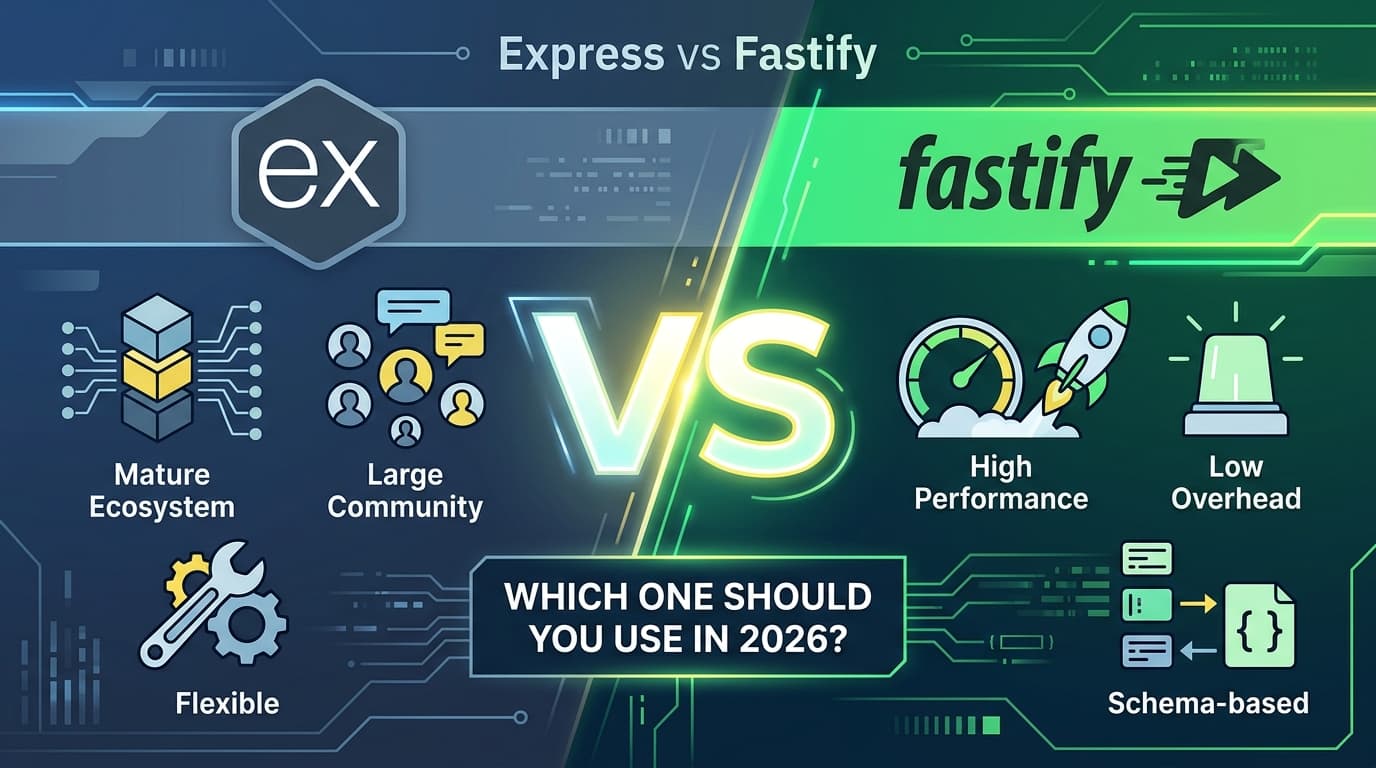
Express vs Fastify: Which One Should You Use in 2026?
Fastify is 3–5x faster. Express has 16x more downloads. Performance and adoption are telling very different stories — and you need to understand both before picking a side.
 ZextOverse
Loading articles...
Fastify is 3–5x faster. Express has 16x more downloads. Performance and adoption are telling very different stories — and you need to understand both before picking a side.
When Node.js emerged as a serious backend runtime in the early 2010s, Express became its de facto framework almost by accident. Released in 2010, it was minimal, unopinionated, and easy enough to learn in an afternoon. A decade later, it powers a substantial portion of the Node.js applications running in production worldwide.
Then came Fastify.
Born in 2017 from the minds of Matteo Collina and Tomas Della Vedova — both contributors to Node.js core — Fastify was designed with one explicit goal: go faster, without sacrificing developer experience. It borrowed Express's familiar routing API but rebuilt everything underneath: the router, the serializer, the validation layer, and the plugin system.
In 2026, the question isn't really "which one is better?" — it's "which one is better for you, right now, for this project?" Let's break it down with real numbers and real trade-offs.
Let's get the headline out of the way.
Fastify handles around 80,000 requests per second. Express handles around 25,000. That's a consistent 3x performance gap across every major benchmark — and it's architectural, not the result of a single clever optimization.
Here's a representative benchmark comparison under controlled conditions:
| Framework | Req/sec | Latency (p99) | Memory (MB) | CPU Usage |
|---|---|---|---|---|
| Fastify | ~76,835 | 18ms | 45 MB | 68% |
| Express | ~38,510 | 42ms | 62 MB | 84% |
Benchmarked on Node.js 20 LTS with hello-world endpoints on Ubuntu 22.04.
In practice, most applications never approach these limits — database calls, external API requests, and business logic dominate latency, not the framework. The performance gap matters for highly concurrent APIs, real-time services, or cases where you're running on low-memory infrastructure.
Fastify's lead isn't magic — it's engineering. Three specific decisions account for most of the gap:
1. Routing via find-my-way
Express uses a linear middleware chain for routing. Fastify uses a radix-tree router (find-my-way) that resolves routes in O(log n) rather than O(n). At scale, the difference compounds significantly.
2. fast-json-stringify for serialization
Standard JSON.stringify() has no schema awareness — it inspects every value at runtime. Fastify's serializer compiles JSON schemas ahead of time into optimized serialization functions. This provides nearly twice the speed by optimizing JSON serialization, reducing CPU load and enhancing overall performance.
3. Encapsulated plugin system
Express middleware runs in a linear chain for every request; Fastify's encapsulated plugins reduce the overhead per request for plugins not registered globally. If a plugin is scoped to /api/v2, it simply doesn't run for requests to /health.
Both frameworks share a familiar API. Here's how a basic route looks in each:
import express from 'express'

const app = express()
app.use(express.json())

app.get('/users/:id', async (req, res) => {
  const user = await getUserById(req.params.id)
  if (!user) return res.status(404).json({ error: 'Not found' })
  res.json(user)
})

app.listen(3000, () => console.log('Listening on port 3000'))
import Fastify from 'fastify'

const fastify = Fastify({ logger: true })

const schema = {
  params: {
    type: 'object',
    properties: { id: { type: 'string' } },
    required: ['id']
  },
  response: {
    200: {
      type: 'object',
      properties: {
        id: { type: 'string' },
        name: { type: 'string' },
        email: { type: 'string' }
      }
    }
  }
}

fastify.get('/users/:id', { schema }, async (request, reply) => {
  const user = await getUserById(request.params.id)
  if (!user) return reply.status(404).send({ error: 'Not found' })
  return user
})

fastify.listen({ port: 3000 })
The Fastify version is slightly more verbose upfront — but that verbosity pays dividends: the schema drives validation, serialization, and can auto-generate OpenAPI documentation.
This is one of the most consequential differences between the two frameworks.
Express ships with no built-in validation. You add express-validator, joi, zod, or whatever library your team prefers. This is flexible, but it means validation is an afterthought bolted onto the request lifecycle.
Fastify's schema-based validation is built-in, reducing boilerplate and improving performance by leveraging compiled schemas for faster execution. Fastify's tight integration with JSON Schema and built-in validation engine makes it the better choice for applications that require structured, high-performance validation.
In practice: define your schema once in Fastify, get validation, serialization, and documentation for free. In Express, you wire these up separately, which works — but it's more surface area for inconsistency.
Fastify provides first-class TypeScript support, generics-based request validation, and built-in schema integrations, making it the better choice for type safety and maintainability.
Express has historically shipped types as a separate @types/express package. Express 5, released in 2024, introduced officially generated and tested types — narrowing this gap considerably. But Fastify's generics-based approach, where route-level schemas flow through to request and reply types automatically, remains more ergonomic for TypeScript-first teams.
Express ships with no built-in logger. You choose and configure Morgan, Winston, Pino, or another library yourself.
Fastify ships with Pino integrated by default — one of the fastest JSON loggers available for Node.js. Pass { logger: true } to the constructor and you have structured, performant logging out of the box, including automatic request/response logging.
Express does not natively support HTTP/2, so external libraries like spdy are required to enable it. Fastify supports HTTP/2 natively with a single configuration option.
For teams building APIs that will be consumed by modern clients — or running behind load balancers that leverage HTTP/2 multiplexing — this is a meaningful difference.
Express's middleware system is simple and familiar: functions that take (req, res, next) and run sequentially. It's easy to understand but runs every registered middleware globally unless you manually scope it.
Fastify's plugin system is built around encapsulation — plugins registered inside a scope don't leak outside it. This makes it easier to build large applications with isolated concerns without accidentally exposing internal plugins to the entire application.
// Fastify: auth plugin only applies to /api routes
fastify.register(async function apiRoutes(api) {
  api.addHook('preHandler', authMiddleware)

  api.get('/profile', profileHandler)
  api.get('/settings', settingsHandler)
})

// This route has NO auth
fastify.get('/public', publicHandler)
Replicating this pattern cleanly in Express requires careful middleware ordering and explicit router.use() scoping.
Here's where Express maintains a commanding lead.
Express dominates in raw adoption with over 92 million weekly downloads — that's 16x more than Fastify's 5.8 million. This gap reflects years of ecosystem maturity and widespread production use.
What this means in practice:
Fastify's ecosystem has grown substantially since 2020, with an official @fastify organization maintaining plugins for everything from CORS to JWT to WebSockets. But if you need a very specific, niche middleware package, there's a real chance it exists for Express and not for Fastify.
The @fastify/express compatibility layer helps here — it allows you to mount Express middleware in Fastify during migration. It adds some overhead, but it means you're not blocked from day one.
Express 5 was a long time coming. After years of stagnation, the framework received a major update that addressed several longstanding criticisms:
next(err) callsExpress 5 is here, and the framework now has a clear roadmap for the future, including official TypeScript support and a more modular, API-first design.
Express 5 doesn't close the performance gap — that's structural and won't change without a complete rewrite. But it does close the ergonomics gap meaningfully. If your objection to Express was "it feels dated," Express 5 is worth a second look.
The pragmatic approach: start new services in Fastify and migrate high-traffic existing routes gradually using the @fastify/express compatibility layer.
For the vast majority of applications — internal tools, small APIs, prototypes — the performance difference will never be the bottleneck. Postgres query time will dwarf framework overhead by an order of magnitude.
Where the choice genuinely matters is at the architectural edges: very high-traffic public APIs, serverless functions where cold start and memory matter, or teams that want to enforce consistent validation and serialization patterns across a large codebase.
If you're running Express in production and want to migrate, you don't have to do it all at once.
npm install fastify @fastify/express
import Fastify from 'fastify'
import expressPlugin from '@fastify/express'
import legacyExpressApp from './legacy-express-app.js'

const fastify = Fastify()

// Mount your entire legacy Express app inside Fastify
await fastify.register(expressPlugin)
fastify.use(legacyExpressApp)

// Start migrating routes to native Fastify one by one
fastify.get('/new-route', { schema }, newHandler)

fastify.listen({ port: 3000 })
This lets you run both frameworks simultaneously, migrating route by route. Start with your highest-traffic endpoints where Fastify's performance gains will have the most impact, and work down from there.
| Feature | Express | Fastify |
|---|---|---|
| Initial release | 2010 | 2017 |
| Weekly downloads | ~92M | ~5.8M |
| Throughput | ~25K req/sec | ~80K req/sec |
| Latency (p99) | ~42ms | ~18ms |
| Built-in validation | ❌ | ✅ (JSON Schema + AJV) |
| Built-in logging | ❌ | ✅ (Pino) |
| TypeScript support | Good (v5+) | Excellent (native) |
| HTTP/2 | ❌ (via spdy) | ✅ (native) |
| Plugin encapsulation | ❌ | ✅ |
| Learning curve | Low | Moderate |
| Ecosystem size | Very large | Growing |
| Express middleware compat | Native | Via @fastify/express |
Express is not dead. With 92 million weekly downloads, Express 5's arrival, and a decade of production-hardened ecosystem around it, the framework will remain a perfectly valid choice for years to come.
But the momentum has shifted.
Fastify is the modern, performance-first choice. For new projects in 2026, it gives you better throughput, built-in validation, superior TypeScript support, and structured logging — all without sacrificing developer experience. The trend is clear: Fastify's download growth rate is outpacing Express's, and new projects increasingly adopt it as the default.
The right answer in 2026 isn't "always Fastify" — it's "Fastify for new APIs where performance and structure matter, Express where ecosystem breadth and team familiarity win."
Know what you're optimizing for, and let that guide the choice.
Further reading: Fastify Documentation · Express 5 Migration Guide · @fastify/express compatibility plugin

Create elementAI Explainer Videos That Convert With Simple Text Prompts.
Learn More