How to Implement Authentication with JWT in Node.js
Stateless, scalable, and — when done right — secure. JWT authentication is the backbone of modern API design. Here's everything you need to build it properly.
 ZextOverse
Loading articles...
Stateless, scalable, and — when done right — secure. JWT authentication is the backbone of modern API design. Here's everything you need to build it properly.
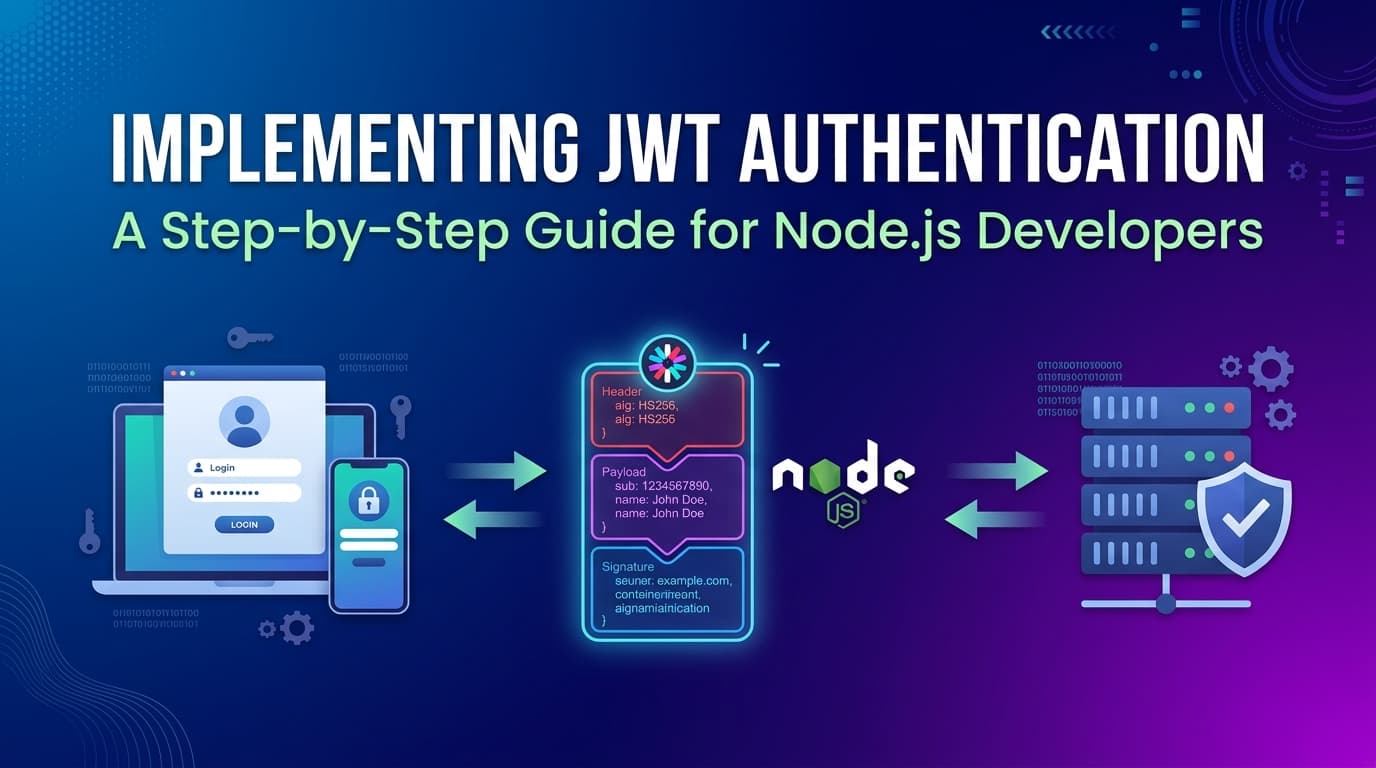
JSON Web Tokens (JWT) are a compact, URL-safe way to represent claims between two parties. Rather than storing session data server-side and issuing a session ID cookie, JWTs encode the session state directly into a signed token that travels with every request.
The flow is elegantly simple:
This statelessness is what makes JWTs so appealing in distributed systems, microservices, and horizontally-scaled APIs. There's no shared session store to synchronize across instances.
That said, JWTs aren't a silver bullet. They come with trade-offs — especially around token revocation — that you need to understand before shipping to production. This guide covers both the implementation and the nuance.
A JWT is three Base64URL-encoded strings joined by dots:
eyJhbGciOiJIUzI1NiIsInR5cCI6IkpXVCJ9.eyJzdWIiOiJ1c2VyXzEyMyIsImVtYWlsIjoiamFuZUBleGFtcGxlLmNvbSIsImlhdCI6MTcxNjAwMDAwMCwiZXhwIjoxNzE2MDAzNjAwfQ.4Vt3h9X2mK8pL1qR7sN0wY5dF6uJ2aB3cE9gH8iM1nO
Break it apart:
HEADER.PAYLOAD.SIGNATURE
{
  "alg": "HS256",
  "typ": "JWT"
}
Declares the token type and signing algorithm. HS256 is HMAC-SHA256 (symmetric). RS256 is RSA-SHA256 (asymmetric) — preferred for production when multiple services need to verify tokens.
{
  "sub": "user_123",
  "email": "jane@example.com",
  "role": "admin",
  "iat": 1716000000,
  "exp": 1716003600
}
Standard registered claims:
| Claim | Meaning |
|---|---|
sub | Subject — the user identifier |
iat | Issued At — Unix timestamp of creation |
exp | Expiration — Unix timestamp of expiry |
nbf | Not Before — token invalid before this time |
jti | JWT ID — unique token identifier (useful for revocation) |
⚠️ The payload is NOT encrypted — it's only encoded. Anyone with the token can read its contents. Never put passwords, SSNs, or sensitive PII in JWT claims.
HMACSHA256(
  base64UrlEncode(header) + "." + base64UrlEncode(payload),
  secret
)
The signature ensures the token hasn't been tampered with. It cannot be forged without the secret key.
Initialize a Node.js project with the necessary dependencies:
mkdir jwt-auth-demo && cd jwt-auth-demo
npm init -y
npm install express jsonwebtoken bcryptjs dotenv
npm install --save-dev nodemon
Dependencies:
express — HTTP server frameworkjsonwebtoken — JWT creation and verificationbcryptjs — Password hashing (never store plaintext passwords)dotenv — Environment variable managementSet up your project structure:
jwt-auth-demo/
├── src/
│   ├── controllers/
│   │   └── auth.controller.js
│   ├── middleware/
│   │   └── auth.middleware.js
│   ├── routes/
│   │   └── auth.routes.js
│   └── app.js
├── .env
└── package.json
Configure package.json scripts:
{
  "scripts": {
    "dev": "nodemon src/app.js",
    "start": "node src/app.js"
  }
}
Create a .env file. Never commit this to version control.
# .env
PORT=3000
JWT_SECRET=your-super-secret-key-at-least-32-chars-long
JWT_EXPIRES_IN=1h
JWT_REFRESH_SECRET=another-secret-for-refresh-tokens
JWT_REFRESH_EXPIRES_IN=7d
🔐 Generate a cryptographically strong secret:
node -e "console.log(require('crypto').randomBytes(64).toString('hex'))"
// src/app.js
require('dotenv').config();
const express = require('express');
const authRoutes = require('./routes/auth.routes');

const app = express();

app.use(express.json());

// Routes
app.use('/api/auth', authRoutes);

// Protected route example
const { verifyToken } = require('./middleware/auth.middleware');

app.get('/api/profile', verifyToken, (req, res) => {
  res.json({
    message: 'This is a protected route',
    user: req.user,
  });
});

// Global error handler
app.use((err, req, res, next) => {
  console.error(err.stack);
  res.status(err.status || 500).json({
    error: err.message || 'Internal Server Error',
  });
});

const PORT = process.env.PORT || 3000;
app.listen(PORT, () => {
  console.log(`Server running on port ${PORT}`);
});
This is where the core logic lives — registration, login, and token refresh.
// src/controllers/auth.controller.js
const jwt = require('jsonwebtoken');
const bcrypt = require('bcryptjs');

// In-memory user store for demo purposes.
// Replace with your database (Prisma, Mongoose, pg, etc.)
const users = [];

// ─── Helpers ──────────────────────────────────────────────────────────────────

function generateAccessToken(user) {
  return jwt.sign(
    { sub: user.id, email: user.email, role: user.role },
    process.env.JWT_SECRET,
    { expiresIn: process.env.JWT_EXPIRES_IN }
  );
}

function generateRefreshToken(user) {
  return jwt.sign(
    { sub: user.id },
    process.env.JWT_REFRESH_SECRET,
    { expiresIn: process.env.JWT_REFRESH_EXPIRES_IN }
  );
}

// ─── Register ─────────────────────────────────────────────────────────────────

async function register(req, res, next) {
  try {
    const { email, password, name } = req.body;

    if (!email || !password || !name) {
      return res.status(400).json({ error: 'All fields are required' });
    }

    // Check if user already exists
    const existingUser = users.find((u) => u.email === email);
    if (existingUser) {
      return res.status(409).json({ error: 'Email already registered' });
    }

    // Hash password — never store plaintext
    const saltRounds = 12;
    const hashedPassword = await bcrypt.hash(password, saltRounds);

    // Create user
    const newUser = {
      id: `user_${Date.now()}`,
      name,
      email,
      password: hashedPassword,
      role: 'user',
      createdAt: new Date().toISOString(),
    };

    users.push(newUser);

    const accessToken = generateAccessToken(newUser);
    const refreshToken = generateRefreshToken(newUser);

    res.status(201).json({
      message: 'User registered successfully',
      accessToken,
      refreshToken,
      user: {
        id: newUser.id,
        name: newUser.name,
        email: newUser.email,
        role: newUser.role,
      },
    });
  } catch (error) {
    next(error);
  }
}

// ─── Login ────────────────────────────────────────────────────────────────────

async function login(req, res, next) {
  try {
    const { email, password } = req.body;

    if (!email || !password) {
      return res.status(400).json({ error: 'Email and password are required' });
    }

    // Find user
    const user = users.find((u) => u.email === email);
    if (!user) {
      // Use a generic message to avoid user enumeration
      return res.status(401).json({ error: 'Invalid credentials' });
    }

    // Verify password
    const isPasswordValid = await bcrypt.compare(password, user.password);
    if (!isPasswordValid) {
      return res.status(401).json({ error: 'Invalid credentials' });
    }

    const accessToken = generateAccessToken(user);
    const refreshToken = generateRefreshToken(user);

    res.json({
      accessToken,
      refreshToken,
      user: {
        id: user.id,
        name: user.name,
        email: user.email,
        role: user.role,
      },
    });
  } catch (error) {
    next(error);
  }
}

// ─── Refresh Token ────────────────────────────────────────────────────────────

function refreshToken(req, res, next) {
  try {
    const { refreshToken } = req.body;

    if (!refreshToken) {
      return res.status(400).json({ error: 'Refresh token is required' });
    }

    // Verify the refresh token
    const decoded = jwt.verify(refreshToken, process.env.JWT_REFRESH_SECRET);

    // Find user to embed fresh claims
    const user = users.find((u) => u.id === decoded.sub);
    if (!user) {
      return res.status(401).json({ error: 'User not found' });
    }

    const newAccessToken = generateAccessToken(user);

    res.json({ accessToken: newAccessToken });
  } catch (error) {
    if (error.name === 'TokenExpiredError') {
      return res.status(401).json({ error: 'Refresh token expired. Please log in again.' });
    }
    if (error.name === 'JsonWebTokenError') {
      return res.status(401).json({ error: 'Invalid refresh token' });
    }
    next(error);
  }
}

module.exports = { register, login, refreshToken };
This middleware verifies the JWT on protected routes and attaches the decoded user to req.user.
// src/middleware/auth.middleware.js
const jwt = require('jsonwebtoken');

function verifyToken(req, res, next) {
  // Extract token from Authorization header
  const authHeader = req.headers['authorization'];
  const token = authHeader && authHeader.split(' ')[1]; // "Bearer <token>"

  if (!token) {
    return res.status(401).json({ error: 'Access token required' });
  }

  try {
    const decoded = jwt.verify(token, process.env.JWT_SECRET);
    req.user = decoded; // { sub, email, role, iat, exp }
    next();
  } catch (error) {
    if (error.name === 'TokenExpiredError') {
      return res.status(401).json({ error: 'Token expired' });
    }
    if (error.name === 'JsonWebTokenError') {
      return res.status(401).json({ error: 'Invalid token' });
    }
    return res.status(500).json({ error: 'Token verification failed' });
  }
}

// Role-based access control middleware factory
function requireRole(...roles) {
  return (req, res, next) => {
    if (!req.user) {
      return res.status(401).json({ error: 'Not authenticated' });
    }
    if (!roles.includes(req.user.role)) {
      return res.status(403).json({ error: 'Insufficient permissions' });
    }
    next();
  };
}

module.exports = { verifyToken, requireRole };
Usage with role-based access control:
const { verifyToken, requireRole } = require('./middleware/auth.middleware');

// Only admins can access this route
app.delete('/api/users/:id', verifyToken, requireRole('admin'), deleteUser);

// Both users and admins can access this
app.get('/api/posts', verifyToken, requireRole('user', 'admin'), getPosts);
// src/routes/auth.routes.js
const express = require('express');
const router = express.Router();
const { register, login, refreshToken } = require('../controllers/auth.controller');

router.post('/register', register);
router.post('/login', login);
router.post('/refresh', refreshToken);

module.exports = router;
With the server running (npm run dev), test the endpoints with curl or any HTTP client.
curl -X POST http://localhost:3000/api/auth/register \
  -H "Content-Type: application/json" \
  -d '{
    "name": "Jane Doe",
    "email": "jane@example.com",
    "password": "SecurePass123!"
  }'
Response:
{
  "message": "User registered successfully",
  "accessToken": "eyJhbGciOiJIUzI1NiIsInR5cCI6IkpXVCJ9...",
  "refreshToken": "eyJhbGciOiJIUzI1NiIsInR5cCI6IkpXVCJ9...",
  "user": {
    "id": "user_1716000000000",
    "name": "Jane Doe",
    "email": "jane@example.com",
    "role": "user"
  }
}
curl -X POST http://localhost:3000/api/auth/login \
  -H "Content-Type: application/json" \
  -d '{"email": "jane@example.com", "password": "SecurePass123!"}'
curl http://localhost:3000/api/profile \
  -H "Authorization: Bearer eyJhbGciOiJIUzI1NiIsInR5cCI6IkpXVCJ9..."
curl -X POST http://localhost:3000/api/auth/refresh \
  -H "Content-Type: application/json" \
  -d '{"refreshToken": "eyJhbGciOiJIUzI1NiIsInR5cCI6IkpXVCJ9..."}'
This is one of the most debated topics in web security. The two main options each have clear trade-offs:
localStorage// Storing the token
localStorage.setItem('accessToken', token);
// Sending with requests
const token = localStorage.getItem('accessToken');
fetch('/api/profile', {
headers: { Authorization: `Bearer ${token}` },
});
Risk: Vulnerable to XSS (Cross-Site Scripting). If an attacker injects malicious JavaScript into your page, they can steal tokens from localStorage.
httpOnly Cookie// Server sets the cookie — JS cannot access it
res.cookie('accessToken', token, {
httpOnly: true, // Not accessible via document.cookie
secure: true, // HTTPS only
sameSite: 'strict', // CSRF protection
maxAge: 3600000, // 1 hour in ms
});
Risk: Cookies are automatically sent with requests, which creates exposure to CSRF (Cross-Site Request Forgery). Mitigate with sameSite: 'strict' and CSRF tokens.
For most web applications: httpOnly cookies for the access token, with sameSite: 'strict' and a CSRF token pattern. This makes XSS attacks unable to steal the token, which is the more common threat vector.
For mobile apps and pure API clients: store in secure storage (iOS Keychain, Android Keystore), not in local storage equivalents.
This is JWT's most significant weakness. Because the server doesn't store session state, there's no built-in way to invalidate a token before it expires.
If a user logs out, changes their password, or is banned — their old access token remains valid until exp.
Short-lived access tokens + long-lived refresh tokens is the canonical approach. Keep access tokens to 15 minutes. When they expire, the client uses the refresh token to get a new one. Logout invalidates the refresh token (stored server-side in a database or Redis).
Access Token:  expires in 15 minutes  (stateless, not stored)
Refresh Token: expires in 7 days      (stored in DB, can be revoked)
Token blocklist (denylist) for immediate revocation. When a user logs out or is compromised, add their jti (JWT ID) to a Redis set with a TTL matching the token's remaining lifetime.
// On logout — add jti to blocklist
await redis.setEx(`blocklist:${decoded.jti}`, tokenRemainingTtl, '1');

// In verifyToken middleware — check blocklist
const isBlocked = await redis.get(`blocklist:${decoded.jti}`);
if (isBlocked) {
  return res.status(401).json({ error: 'Token has been revoked' });
}
Version-based invalidation: Store a tokenVersion integer on the user record. Embed it in the JWT payload. On logout or password change, increment the version. The middleware rejects tokens with outdated versions.
Before going live, verify each of these:
crypto.randomBytes)RS256 in multi-service architectures — private key signs, public key verifieshttpOnly, secure, sameSite cookies for browser clientsexp, iat, iss, aud as appropriate/login endpoint to prevent brute-force attacksIn microservice architectures, multiple services may need to verify tokens without having access to the signing secret. RS256 solves this elegantly:
const crypto = require('crypto');
const { privateKey, publicKey } = crypto.generateKeyPairSync('rsa', {
  modulusLength: 2048,
});

// Sign with private key
const token = jwt.sign(payload, privateKey, { algorithm: 'RS256', expiresIn: '1h' });

// Verify with public key (safe to distribute to other services)
const decoded = jwt.verify(token, publicKey, { algorithms: ['RS256'] });
In production, load keys from environment variables or a secrets manager (AWS Secrets Manager, HashiCorp Vault):
const privateKey = process.env.JWT_PRIVATE_KEY.replace(/\\n/g, '\n');
const publicKey = process.env.JWT_PUBLIC_KEY.replace(/\\n/g, '\n');
┌─────────────┐         ┌──────────────────┐         ┌─────────────┐
│   Client    │         │   Auth Service   │         │  Protected  │
│  (Browser)  │         │   (Node.js)      │         │     API     │
└──────┬──────┘         └────────┬─────────┘         └──────┬──────┘
       │                         │                           │
       │  POST /auth/login        │                           │
       │  { email, password }    │                           │
       │────────────────────────>│                           │
       │                         │                           │
       │                         │  bcrypt.compare()         │
       │                         │  jwt.sign()               │
       │                         │                           │
       │  { accessToken,         │                           │
       │    refreshToken }        │                           │
       │<────────────────────────│                           │
       │                         │                           │
       │  GET /api/profile        │                           │
       │  Authorization: Bearer  │                           │
       │─────────────────────────┼──────────────────────────>│
       │                         │                           │
       │                         │          jwt.verify()     │
       │                         │          (middleware)      │
       │                         │                           │
       │  { user profile data }  │                           │
       │<─────────────────────────────────────────────────── │
       │                         │                           │
       │  [access token expires] │                           │
       │                         │                           │
       │  POST /auth/refresh      │                           │
       │  { refreshToken }       │                           │
       │────────────────────────>│                           │
       │                         │                           │
       │  { accessToken (new) }  │                           │
       │<────────────────────────│                           │
JWT authentication is a powerful pattern — but its simplicity on the surface conceals real complexity underneath. The happy path (sign a token, verify a token) takes 20 lines of code. The production-ready path requires careful thought about token storage, revocation strategies, secret management, and the security model of your specific architecture.
The implementation in this guide gives you a solid foundation:
Authentication is not the place to cut corners. Build it deliberately, understand the trade-offs, and keep your secrets actually secret.
Further reading: RFC 7519 — JSON Web Token · OWASP JWT Security Cheat Sheet · jsonwebtoken npm docs

Create elementAI Explainer Videos That Convert With Simple Text Prompts.
Learn More