The Complete Guide to Artificial Intelligence for Web Developers in 2026
You don't need a PhD in machine learning. You need to understand what AI can do, how it thinks, and how to wire it into the things you build. This guide is exactly that.
 ZextOverse
Loading articles...
You don't need a PhD in machine learning. You need to understand what AI can do, how it thinks, and how to wire it into the things you build. This guide is exactly that.
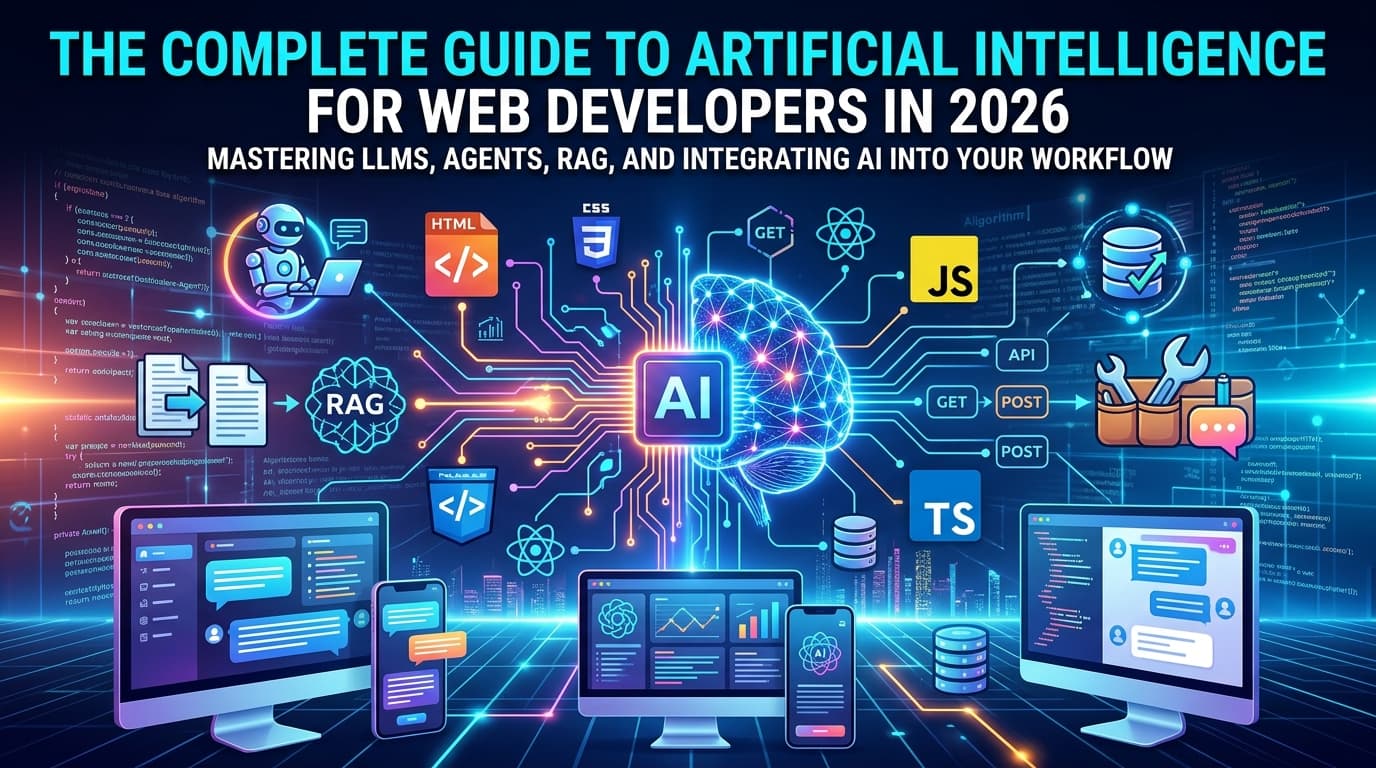
You're a web developer. You know JavaScript (or TypeScript). You've shipped React apps, called REST APIs, maybe dabbled in Node.js backends. You've heard "LLM," "agent," and "RAG" thrown around at conferences and in Slack threads, and you've nodded along — but you're not sure you could explain the difference between them.
This guide is for you.
We're not going to derive the math behind transformers. We're going to explain AI systems the way a senior engineer explains a new API: what it is, how it behaves, what breaks it, and how to use it responsibly in production.
By the end, you'll know:
Let's start from the beginning.
"AI" in 2026 almost always means one of two things:
When developers say "AI" today, they almost always mean the second one. And within generative AI, the dominant technology is the Large Language Model (LLM).
Before going further, it's worth clearing up a few misconceptions that cause real confusion:
Understanding these properties isn't pessimism — it's the foundation for building reliable AI-powered systems.
A Large Language Model is a neural network trained to predict the next token in a sequence of text. During training, the model sees billions of documents — web pages, books, code, papers — and learns the statistical relationships between tokens (roughly: words or word-pieces).
After training, the model has encoded a vast compressed representation of language, facts, reasoning patterns, and style. When you prompt it, you're activating those patterns to generate a continuation of your input.
The "large" in LLM refers to the number of parameters — the learned numerical weights inside the model. Modern frontier models like GPT-4o, Claude Sonnet, and Gemini 1.5 Pro have hundreds of billions of parameters.
LLMs are built on a neural network architecture called the Transformer, introduced in the 2017 paper "Attention Is All You Need."
The key innovation is the attention mechanism: rather than processing text linearly (word by word), a transformer can attend to any part of the input simultaneously, weighing which tokens are most relevant to each other.
This is why LLMs can:
As a developer, you don't need to implement attention — but understanding that the model reads your entire prompt at once (up to its context window limit) explains a lot of its behavior.
The context window is the maximum amount of text (measured in tokens) an LLM can process in a single request. Think of it as the model's working memory.
| Model (2025–2026) | Context Window |
|---|---|
| Claude Sonnet 4.6 | 200,000 tokens |
| GPT-4o | 128,000 tokens |
| Gemini 1.5 Pro | 1,000,000 tokens |
| Llama 3.1 70B | 128,000 tokens |
1 token ≈ 0.75 words in English. A 200,000-token context can hold roughly 150,000 words — about two novels.
What goes inside the context window? Everything:
When a conversation exceeds the context window, the model loses access to the oldest content. This is a hard architectural limit, not a tunable setting.
When calling an LLM API, you'll encounter these parameters repeatedly:
const response = await anthropic.messages.create({
  model: "claude-sonnet-4-6",
  max_tokens: 2048,
  temperature: 0.7,        // Randomness: 0 = deterministic, 1 = creative
  system: "You are a helpful assistant.",
  messages: [
    { role: "user", content: "Explain closures in JavaScript." }
  ]
});
temperature controls randomness in token selection. For factual tasks (code generation, data extraction), use 0–0.3. For creative tasks (writing, brainstorming), use 0.7–1.0.
max_tokens sets the hard limit on response length. The model stops generating when it hits this ceiling. Set it too low and responses get cut off; set it too high and you pay for output you might not need.
system (or system prompt) is the instruction layer that shapes the model's persona, constraints, and behavior for the entire conversation. It's set by the developer, not the user.
Prompt engineering is the practice of crafting inputs that reliably produce useful outputs from a language model. It's not magic — it's an API design problem.
Principles that consistently work:
Be explicit, not implicit. Models don't infer intent well. "Write some code" is worse than "Write a TypeScript function that takes an array of objects with id and name fields and returns a Map keyed by id."
Specify format. If you need JSON back, say so. If you want a list, say bullet points or numbered list. If you want brevity, say "in two sentences."
Extract the product name, price, and category from this text.
Return ONLY a JSON object with keys: name, price, category.
Do not include any other text.

Text: "The iPhone 16 Pro is available for $999 in our Electronics section."
Use few-shot examples. Show the model the pattern you want, then ask it to continue:
Classify the sentiment of each tweet as: positive, negative, or neutral.

Tweet: "Just got my order and the packaging is beautiful!"
Sentiment: positive

Tweet: "Still waiting on my refund after 3 weeks."
Sentiment: negative

Tweet: "Package arrived."
Sentiment: neutral

Tweet: "The new update broke my workflow completely."
Sentiment:
Chain of thought. For complex reasoning, ask the model to think before answering: "Think through this step by step before giving your final answer." This measurably improves accuracy on multi-step problems.
A basic LLM integration works like this: user sends a message → you call the API → you display the response. That's a chatbot.
Chatbots are useful. But they have a fundamental limitation: they can only generate text. They can't check your database, send an email, run a query, or update a record. They describe actions without taking them.
Agents break this ceiling.
An AI agent is a system where a language model can take actions in the world — not just generate text — by calling tools, observing the results, and deciding what to do next.
The core loop looks like this:
User Input
    │
    ▼
[LLM] ── decides whether to use a tool ──► [Tool Call]
    │                                           │
    │◄──────── tool result returned ────────────┘
    │
[LLM] ── generates next action or final response
    │
    ▼
Response to User (or next iteration)
The model doesn't just answer — it reasons, acts, observes, and continues until it has what it needs to respond.
The dominant framework for agents is ReAct (Reasoning + Acting), where the model alternates between reasoning about the problem and taking actions:
Thought: The user wants to know the current price of AAPL stock.
         I don't have real-time data, so I should call the stock price tool.

Action: get_stock_price({ ticker: "AAPL" })

Observation: { ticker: "AAPL", price: 213.42, currency: "USD", timestamp: "2026-07-03T14:23:00Z" }

Thought: I now have the current price. I can answer the user.

Final Answer: Apple (AAPL) is currently trading at $213.42.
Modern APIs like Anthropic's and OpenAI's implement this as structured tool use (also called function calling), where the model emits a JSON object describing which function to call with which arguments, you execute the function, and you pass the result back.
Here's a minimal but complete agent that can search the web and do math:
import Anthropic from "@anthropic-ai/sdk";

const client = new Anthropic();

// Define the tools available to the model
const tools: Anthropic.Tool[] = [
  {
    name: "calculate",
    description: "Evaluate a mathematical expression and return the result.",
    input_schema: {
      type: "object",
      properties: {
        expression: {
          type: "string",
          description: "A valid mathematical expression, e.g. '(15 * 24) / 3.5'",
        },
      },
      required: ["expression"],
    },
  },
  {
    name: "get_current_date",
    description: "Returns the current date and time in ISO 8601 format.",
    input_schema: {
      type: "object",
      properties: {},
      required: [],
    },
  },
];

// Tool execution logic (your actual implementations)
function executeTool(name: string, input: Record<string, unknown>): string {
  switch (name) {
    case "calculate": {
      try {
        const result = Function(`"use strict"; return (${input.expression})`)();
        return String(result);
      } catch {
        return "Error: invalid expression";
      }
    }
    case "get_current_date":
      return new Date().toISOString();
    default:
      return `Unknown tool: ${name}`;
  }
}

// The agent loop
async function runAgent(userMessage: string): Promise<string> {
  const messages: Anthropic.MessageParam[] = [
    { role: "user", content: userMessage },
  ];

  while (true) {
    const response = await client.messages.create({
      model: "claude-sonnet-4-6",
      max_tokens: 1024,
      tools,
      messages,
    });

    // If the model is done reasoning, return the final text
    if (response.stop_reason === "end_turn") {
      const textBlock = response.content.find((b) => b.type === "text");
      return textBlock?.text ?? "";
    }

    // If the model wants to use tools, execute them
    if (response.stop_reason === "tool_use") {
      // Add model's response to history
      messages.push({ role: "assistant", content: response.content });

      // Collect all tool results
      const toolResults: Anthropic.ToolResultBlockParam[] = [];

      for (const block of response.content) {
        if (block.type === "tool_use") {
          const result = executeTool(
            block.name,
            block.input as Record<string, unknown>
          );
          toolResults.push({
            type: "tool_result",
            tool_use_id: block.id,
            content: result,
          });
        }
      }

      // Add tool results to history and loop again
      messages.push({ role: "user", content: toolResults });
    }
  }
}

// Usage
const answer = await runAgent(
  "If today is my 10,000th day alive, and I was born on March 15 1998, does that check out?"
);
console.log(answer);
This agent will call get_current_date, then calculate, then compose a final answer — all autonomously.
Agents are powerful, but they introduce failure modes that simple chatbots don't have:
Infinite loops. A poorly constrained agent can call tools in a cycle, never reaching a conclusion. Always implement a maximum iteration limit.
Cascading errors. If a tool returns an error and the agent doesn't handle it gracefully, it may make increasingly confused decisions based on bad data. Design your tools to return structured error information.
Prompt injection. If your agent reads external content (emails, web pages, user-uploaded files), a malicious actor can embed instructions in that content that hijack the agent's behavior. Never let external content override your system prompt's constraints.
Runaway costs. Agents that loop 20 times, each calling an expensive tool, can rack up significant API costs in seconds. Set budget limits and monitor usage aggressively in production.
A tool is any function the LLM can choose to call. From the model's perspective, a tool is just a name, a description, and a JSON Schema describing its parameters. From your perspective, it's code you write and control.
Anything you can express as a function can be a tool:
// Database query
{ name: "query_users", description: "Search users by email or name", ... }

// External API call
{ name: "get_weather", description: "Get current weather for a city", ... }

// File operation
{ name: "read_document", description: "Read the contents of a file by path", ... }

// Browser action
{ name: "click_element", description: "Click an element on the current web page", ... }

// Code execution
{ name: "run_python", description: "Execute a Python snippet and return stdout", ... }
Design principles for good tools:
get_user_by_email is better than do_user_stuff.LLMs have no memory between API calls. Every conversation starts fresh. But production applications need continuity. There are four types of memory in AI systems:
1. In-context memory (conversation history)
The simplest approach: pass the full message history with every API call.
const messages = [
  { role: "user", content: "My name is Ana." },
  { role: "assistant", content: "Nice to meet you, Ana!" },
  { role: "user", content: "What's my name?" },
  // Model will answer "Ana" because it's in the context
];
This works until the conversation exceeds the context window, or until you want to persist memory across sessions.
2. External memory (database-backed)
Store facts extracted from conversations in a database, then retrieve relevant facts at the start of each new session:
// After a conversation, extract key facts
const facts = await extractFacts(conversation);
// ["User's name is Ana", "User prefers TypeScript", "User is building an e-commerce app"]

// Store in your database
await db.userMemory.upsert({ userId, facts });

// At the start of the next session, inject them into the system prompt
const memorySummary = await db.userMemory.get(userId);
const systemPrompt = `You are a helpful assistant.
Known facts about this user: ${memorySummary.join(", ")}`;
3. Summarization memory
When conversation history gets long, ask the model to summarize it, store the summary, and use that instead of the full history:
if (tokenCount(messages) > 100_000) {
  const summary = await summarize(messages.slice(0, -10)); // Summarize older messages
  const recentMessages = messages.slice(-10);             // Keep recent ones verbatim
  messages = [
    { role: "user", content: `[Earlier conversation summary: ${summary}]` },
    ...recentMessages
  ];
}
4. Semantic memory (vector databases)
For large knowledge bases, store information as vector embeddings and retrieve semantically similar chunks at query time. This is the foundation of RAG.
RAG is the most important architecture pattern in applied AI development today. It solves a fundamental problem: LLMs have a knowledge cutoff and can't know your private data.
The idea is simple:
User: "What's our refund policy for digital products?"
         │
         ▼
[Embed the question] → vector: [0.23, -0.71, 0.44, ...]
         │
         ▼
[Search vector DB] → finds relevant policy document chunks
         │
         ▼
[Inject into prompt]:
  "Answer the user's question using ONLY the context below.
   Context: [chunk from your-refund-policy.pdf] [...]
   Question: What's our refund policy for digital products?"
         │
         ▼
[LLM generates grounded answer, citing your actual policy]
RAG dramatically reduces hallucination because the model is grounded in retrieved facts rather than generating from memory. It also means your AI feature stays current as you update your documents — without retraining the model.
Popular vector databases for RAG:
You have three options for integrating LLMs into your web applications, each with different trade-offs:
Option A: Direct API calls
Call the model provider's API directly from your backend.
// Next.js API route
import Anthropic from "@anthropic-ai/sdk";

const client = new Anthropic({ apiKey: process.env.ANTHROPIC_API_KEY });

export async function POST(req: Request) {
  const { message } = await req.json();

  const response = await client.messages.create({
    model: "claude-sonnet-4-6",
    max_tokens: 1024,
    messages: [{ role: "user", content: message }],
  });

  return Response.json({
    reply: response.content[0].type === "text" ? response.content[0].text : ""
  });
}
Best for: full control, custom logic, production systems.
Option B: AI SDKs (Vercel AI SDK, LangChain.js)
Frameworks that abstract over multiple providers and add streaming, tool calling, and agent utilities.
import { generateText, tool } from "ai";
import { anthropic } from "@ai-sdk/anthropic";
import { z } from "zod";

const { text } = await generateText({
  model: anthropic("claude-sonnet-4-6"),
  prompt: "What's the weather in São Paulo right now?",
  tools: {
    getWeather: tool({
      description: "Get the current weather for a location",
      parameters: z.object({ city: z.string() }),
      execute: async ({ city }) => fetchWeather(city),
    }),
  },
  maxSteps: 5, // Allow up to 5 tool call iterations
});
The Vercel AI SDK is particularly well-suited for Next.js applications and provides excellent streaming support out of the box.
Best for: rapid development, multi-provider flexibility, built-in streaming.
Option C: Hosted platforms and no-code builders
If you need to ship quickly and don't need custom logic: tools like Langbase, Flowise, or provider-specific playgrounds.
Best for: prototyping, non-developer stakeholders, internal tools without custom requirements.
Waiting 10 seconds for a full LLM response makes your UI feel broken. Streaming sends tokens to the client as they're generated, dramatically improving perceived performance.
// Server-side (Next.js App Router)
export async function POST(req: Request) {
  const { message } = await req.json();

  const stream = await client.messages.stream({
    model: "claude-sonnet-4-6",
    max_tokens: 1024,
    messages: [{ role: "user", content: message }],
  });

  // Return a proper streaming response
  const readableStream = new ReadableStream({
    async start(controller) {
      for await (const chunk of stream) {
        if (
          chunk.type === "content_block_delta" &&
          chunk.delta.type === "text_delta"
        ) {
          controller.enqueue(new TextEncoder().encode(chunk.delta.text));
        }
      }
      controller.close();
    },
  });

  return new Response(readableStream, {
    headers: { "Content-Type": "text/plain; charset=utf-8" },
  });
}
// Client-side (React)
function ChatMessage() {
  const [response, setResponse] = useState("");

  const sendMessage = async (message: string) => {
    const res = await fetch("/api/chat", {
      method: "POST",
      body: JSON.stringify({ message }),
      headers: { "Content-Type": "application/json" },
    });

    const reader = res.body!.getReader();
    const decoder = new TextDecoder();

    while (true) {
      const { done, value } = await reader.read();
      if (done) break;
      setResponse((prev) => prev + decoder.decode(value));
    }
  };

  // ...
}
The biggest challenge with LLM output is that it's text — and text is hard to use programmatically. Structured output forces the model to return JSON you can actually use.
Two approaches:
Approach 1: Prompt the model to return JSON
Extract the event details from this text and return ONLY valid JSON.
Schema: { "name": string, "date": string, "location": string, "attendees": number }
No preamble, no explanation, just the JSON object.

Text: "The React Summit is happening on June 12th in Amsterdam, expecting around 1,200 attendees."
Approach 2: Use tool calling as structured output
Define a tool whose only job is to structure the extracted data, then require the model to call it:
const response = await client.messages.create({
  model: "claude-sonnet-4-6",
  max_tokens: 512,
  tools: [{
    name: "save_event",
    description: "Save the extracted event details",
    input_schema: {
      type: "object",
      properties: {
        name: { type: "string" },
        date: { type: "string", description: "ISO 8601 date" },
        location: { type: "string" },
        attendees: { type: "number" }
      },
      required: ["name", "date", "location"]
    }
  }],
  tool_choice: { type: "tool", name: "save_event" }, // Force this tool
  messages: [{ role: "user", content: yourText }]
});

// The model is forced to return structured data
const toolUse = response.content.find(b => b.type === "tool_use");
const event = toolUse?.input; // Typed, structured, reliable
Tool-forcing is more reliable than prompt-based JSON extraction, especially for complex schemas.
Beyond building AI features, AI has fundamentally changed how developers work. Here's how to use it effectively in your own workflow.
Modern AI coding assistants (GitHub Copilot, Cursor, Claude Code) are most useful when you give them rich context:
For code review, AI catches:
Prompt: Review this function for edge cases, potential runtime errors, and security issues. Be specific about what could go wrong and in what scenario.
Paste your code and prompt: Write a README section for this module, including: purpose, installation, API reference for each exported function with parameter types and return values, and a working example.
Then edit for accuracy — AI is faster at drafting than at being correct about implementation details it can't verify.
Copy your error message, the relevant stack trace, and the code around the failure:
I'm getting this error in production:

TypeError: Cannot read properties of undefined (reading 'map')
  at UserList (components/UserList.tsx:23:18)

Here's the component:
[your code]

What could cause this? What should I check first?
AI is particularly useful for errors in unfamiliar codebases or libraries — it can often surface the root cause faster than Googling.
Give the AI your function and ask for tests covering: happy path, edge cases, error conditions, and boundary values. Then verify that the tests actually fail before your code passes them — AI-generated tests sometimes test the wrong thing.
LLM APIs charge per token — both input (your prompt + history) and output (the model's response). Costs compound quickly:
claude-haiku for classification and claude-sonnet for reasoning.LLM API calls are slow — typically 500ms to several seconds for a full response. Design for this:
If your AI feature is user-facing, users will attempt to misuse it. Plan for:
Prompt injection: Users trying to override your system prompt with instructions like "Ignore all previous instructions and..."
Jailbreaking: Users constructing elaborate fictional scenarios to extract prohibited content.
Data exfiltration: Users trying to get the model to reveal its system prompt or other users' data.
Mitigations:
The biggest mistake developers make with AI features is shipping without evaluation infrastructure.
Unlike traditional software where tests pass or fail deterministically, LLM outputs are probabilistic. You need to:
Tools for LLM evaluation: Braintrust, LangSmith, PromptLayer, and increasingly, using a judge model (another LLM) to evaluate outputs at scale.
| Provider | Flagship Model | Strengths |
|---|---|---|
| Anthropic | Claude Sonnet 4.6 | Reasoning, safety, long context |
| OpenAI | GPT-4o | Broad capability, tooling ecosystem |
| Gemini 1.5 Pro | Multimodal, 1M context window | |
| Meta | Llama 3.1 70B | Open weights, self-hostable |
| Mistral | Mistral Large 2 | European, open, efficient |
Open-weight models (Llama, Mistral, Qwen) can be self-hosted, giving you:
The trade-off: operational complexity. Running a 70B parameter model requires significant GPU infrastructure and engineering investment. For most web developers and startups, closed APIs win on simplicity. Consider open models when: you have strict data residency requirements, very high volume, or need custom fine-tuning.
For building: Vercel AI SDK, LangChain.js, LlamaIndex, Mastra
For vector storage: Pinecone, pgvector, Weaviate, Qdrant
For evals: Braintrust, LangSmith, Inspect
For observability: LangSmith, Helicone, Arize
For local development: Ollama (run models locally), LM Studio
AI in 2026 isn't a feature you bolt on. It's a capability that changes what's possible to build.
The developers who thrive are the ones who stop asking "Can AI do this?" and start asking "How do I build reliable systems where AI is one component among many?"
The core mental model:
You don't need to understand backpropagation. You need to understand APIs, context windows, failure modes, and cost models — skills you already have. AI is a powerful new tool in your existing toolkit.
Start with a small, well-scoped integration. Measure it. Build evaluation infrastructure before you expand. And treat hallucination not as a bug to avoid, but as a known property to design around.
The developers writing the best AI-powered products in 2026 aren't the ones who know the most machine learning theory. They're the ones who treat AI systems with the same rigor, skepticism, and care they bring to any critical external dependency.
That's always been the job. The tools just got a lot more interesting.

Create elementAI Explainer Videos That Convert With Simple Text Prompts.
Learn More